qdBox icon
qdBox icon

qdBox

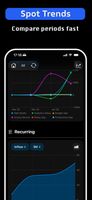
qdBox is a unified business dashboard for founders, freelancers, and small teams managing multiple projects and revenue streams. It eliminates the need to switch between spreadsheets, browser tabs, and disconnected dashboards by bringing everything into one place.
qdBox screenshot 1

Cost / License

  • Freemium (Subscription)
  • Proprietary

Platforms

  • Mac
  • iPhone
  • iPad
0likes
0comments
0articles

Features

Properties

  1.  Lightweight

Features

  1.  No Tracking
  2.  Goal Tracking
  3.  Ad-free
  4.  No registration required
  5.  Goal Setting
  6.  Dark Mode
  7.  No Coding Required
  8.  Hierarchical Structure
  9.  Reminders
  10.  Cloud Sync
  11.  Works Offline
  12.  Business Dashboards

qdBox News & Activities

Highlights All activities

Recent activities

qdBox information

  • Developed by

    Sergei Penskii
  • Licensing

    Proprietary and Freemium product.
  • Pricing

    Subscription ranging between $7 and $50 per month + free version with limited functionality.
  • Alternatives

    43 alternatives listed
  • Supported Languages

    • English
    • Chinese
    • French
    • German
    • Hindi
    • Indonesian
    • Italian
    • Japanese
    • Korean
    • Portuguese
    • Russian
    • Spanish

AlternativeTo Category

Office & Productivity

Popular alternatives

View all
qdBox was added to AlternativeTo by roqd on and this page was last updated .
No comments or reviews, maybe you want to be first?

What is qdBox?

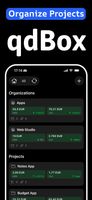
qdBox is a unified business dashboard for founders, freelancers, and small teams managing multiple projects and revenue streams. It eliminates the need to switch between spreadsheets, browser tabs, and disconnected dashboards by bringing everything into one place. Users can connect RevenueCat and Stripe to automatically sync subscription revenue, add one-time income and expenses manually, and get a clear view of project performance with real numbers.

Features of qdBox include tracking MRR and subscription performance, reviewing revenue history, comparing periods, adding custom income and expenses, grouping projects, allocating shared revenue and costs, task and link monitoring, and exporting data. The platform is easy to use, with no complicated spreadsheet formulas or multiple tabs.

It is suitable for indie developers, freelancers, solo entrepreneurs, RevenueCat and Stripe users, small teams, and anyone with multiple revenue streams.

The platform stands out due to its ability to handle both revenue analytics and project management. It offers a clean interface, quick access to important metrics, data export options, and compatibility with iPhone, iPad, and Mac.

Official Links