XConvert.com icon
XConvert.com icon

XConvert.com

XConvert is a free online file convert tool provider. XConvert specialized in converting, compressing, splitting, and combining such as PDF, Microsoft Word, audio, video, and image file types.
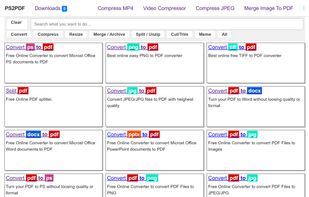
Home Page

Cost / License

  • Free
  • Proprietary

Platforms

  • Online
  • Software as a Service (SaaS)
4likes
0articles
Save

Features

Features

Highlights All activities

XConvert.com News & Activities

Recent activities

No activities found.

XConvert.com information

XConvert.com was added to AlternativeTo by Danilo Venom on and this page was last updated .

No comments or reviews, maybe you want to be first?

What is XConvert.com?

XConvert is a free online file convert tool provider. XConvert specialized in converting, compressing, splitting, and combining such as PDF, Microsoft Word, audio, video, and image file types.

File Conversion:

  • Video converter
  • Supports converting between .mp4, .webm, .mov, .mts and .mkv
  • Audio converter
  • Support converting between .mp3, .m4a, .flac, .m4r, .aac, .wmv, .wav and .ogg
  • PDF converter
  • Support converting PDF to .docx, and any image format
  • Image converter
  • Support converting files between, .jpg, .tiff, .png, and webm

File Compressor

  • Video Compressor
  • Support compressing .mp4, .webm, and other common video file types.
  • Audio Compressor
  • Support compressing .mp4, .m4a, and other common audio file types.
  • PDF compressor
  • Support .pdf files
  • Image compressor
  • Support compressing common image formats such as .jpg/.jpeg, .tif/.tiff, .png and .webp

File Splitter

  • PDF splitter
  • Support splitting PDF files to individual pages or a range of pages

File Combiner

  • PDF combiner
  • Support combining .pdf files to a single PDF document
  • Image to PDF converter
  • Combines jpg, .png, .webp, and .tiff image files to PDF documents

Notable Features:

  • XConvert allows compressing video files to a target output size. You can set the file size you want the output to be and it will try to meet that requirement.
  • You can change the page size, margin, and orientation of the PDF document when converting images to PDF. Plus, you can set where the image should be placed.