





PS-MRTG
6 likes
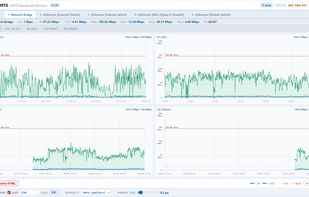
PS-MRTG is a PowerShell script that monitors Windows network bandwidth in real time and displays it in your browser, in the style of the classic MRTG. It reads the network counters via Get-NetAdapterStatistics and plots incoming (IN) and outgoing (OUT) throughput for each...

Cost / License
- Free
- Open Source (MIT)
 EU
EUPlatforms
- Windows


Features
PS-MRTG News & Activities
Highlights All activities
Recent activities

PS-MRTG information
Developed by
 Eric Guiffault
 Licensing
Open Source (MIT) and Free product.Alternatives
1 alternatives listedBadge
Get an embeddable badge for PS-MRTGSupported Languages
AlternativeTo Categories
Network & Admin, OS & UtilitiesGitHub repository
- 10 Stars
- 0 Forks
- 0 Open Issues
- Updated
No comments or reviews, maybe you want to be first?