





ProcXray
3 likes
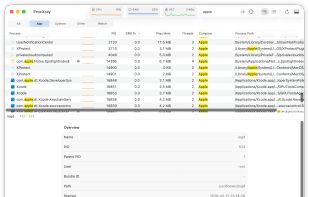
A native macOS process explorer beyond Activity Monitor — inspired by the convenience of Process Explorer. Inspect process trees, command lines, environment variables, signatures, connections, open files, and more — beyond what Activity Monitor shows.

Cost / License
- Freemium (Pay once)
- Proprietary
Platforms
- Mac


Features
Highlights All activities
ProcXray News & Activities
Recent activities
 Danilo Venom added ProcXray as alternative to Vitals for macOS
 Vitals added ProcXray as alternative to Vitals Activity Monitor
 Dawid Ferenczy added ProcXray as alternative to Activity Monitor, Better Task Manager and TaskExplorer
- make-cmd liked ProcXray
- CharlieJ liked ProcXray
powerful tool and easy UI
- pbkqrr422j liked ProcXray
- MaxLs added ProcXray


Licensing
Proprietary and Freemium product.Pricing
One time purchase (perpetual license) that costs up to $15 + free version with limited functionality.Alternatives
5 alternatives listedBadge
Get an embeddable badge for ProcXraySupported Languages

Comments and Reviews
powerful tool and easy UI