Prismatik icon
Prismatik icon

Prismatik

Open-source software to control Lightpack devices. It grabs the screen, analyzes the picture, calculates resulting colors, and provides soft and gentle lighting with a Lightpack, Adalight, Ardulight or even Alienware LightFX system.
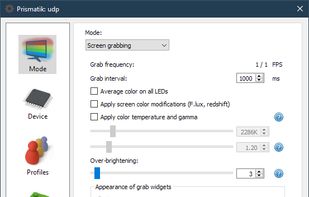
Prismatik screenshot 1

Cost / License

Platforms

  • Mac
  • Windows
  • Linux
  • Android
3likes
0articles
Save

Features

Features

Highlights All activities

Prismatik News & Activities

Recent News

No news, maybe you know any news worth sharing?

Share a News Tip

Recent activities

Prismatik information

GitHub repository

  •  1,745 Stars
  •  197 Forks
  •  252 Open Issues
  •   Updated  
View on GitHub

Popular alternatives

View all
Prismatik was added to AlternativeTo by Nightcall on and this page was last updated .

No comments or reviews, maybe you want to be first?

Official Links

Install from the command line

  • winget install -e --id PatrickSiegler.PrismatikUnofficial

Be careful what you paste into a terminal. Check what a command installs before running it.

What is Prismatik?

Prismatik is an open-source software we build to control Lightpack devices. It grabs the screen, analyzes the picture, calculates resulting colors, and provides soft and gentle lighting with a Lightpack device. Moreover, you can handle other devices with Prismatik such as Adalight, Ardulight, or even Alienware LightFX system.

Main Features: Fully open-source under GPLv3 (hardware, software, firmware)

Cross-platform GUI (Qt)

USB HID (no need to install any drivers)

The device is simple to build (just Do-It-Yourself)

Ambilight

Supported Devices and Protocols: Lightpack PC/v1 Serial Adalight Ardulight Arduino ESP8266/ESP32 (WLED firmware highly recommended) Wi-Fi UDP: WARLS DRGB DNRGB ESP8266/ESP32 (WLED firmware highly recommended) Prismatik supports multiple Lightpack devices and merges them into one. For other devices, you have two options to run on mulitple monitors:

Make one device cover both monitors by having one LED strip run around both displays (recommended) Run two instances of Prismatik (using the --config-dir command line option) with each configured for one monitor/device. See #280 for details.