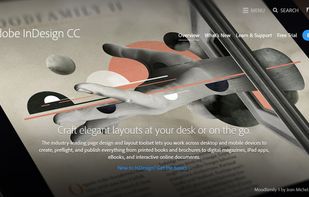
Industry-leading software for creating professional layouts, suitable for both print and digital designs, with advanced typographic controls, interactive PDF capabilities, and seamless integration within the Adobe Creative Suite.


Print for Figma is described as 'Create print-ready documents in seconds. Use Figma for print design instead of slow and expensive Adobe software' and is an app in the photos & graphics category. There are five alternatives to Print for Figma for Web-based, Figma, SaaS, Mac and Windows. The best Print for Figma alternative is Adobe InDesign. It's not free, so if you're looking for a free alternative, you could try Quaterio or Printify | Print for Figma. Other great apps like Print for Figma are PrintX and Print Shop.
Industry-leading software for creating professional layouts, suitable for both print and digital designs, with advanced typographic controls, interactive PDF capabilities, and seamless integration within the Adobe Creative Suite.


Web-based document editor featuring real pagination, custom page sizes, template variables including QR codes and barcodes, WYSIWYG previews, batch PDF generation up to 1,000 via API, brand kits for consistent style, print-ready CMYK export, and version history options.

Turn your Figma designs into professional, print-ready PDFs — no need for InDesign or Illustrator. Add bleed, crop marks, ICC profiles, CMYK conversion, spot colors/Pantone, and overprint settings directly in Figma for brochures, posters, packaging, or multi-page layouts.

Use Figma to generate professional print documents effortlessly, without the need for complex and expensive tools.

Don't let expensive software stop you from creating designs for print. Create Production-Grade Print Materials the Figma Way.