Free App! Easily Scan ANY Barcode / QR Code or search to quickly find the BEST price.
Scans like a red laser!
Not designed to scan items under $10, groceries, alcohol, or tobacco.
How To Scan Barcodes
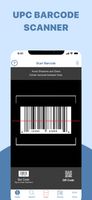
To scan a Barcode or QR code simply open the app, point the camera at the code, and it will be quickly scanned. No need to take a photo. This app will automatically recognize any Barcode or QR code your camera is pointing at.
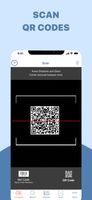
When scanning a QR code, if the code contains a website address, you will see it and be able to launch it. If the QR code contains text, email addresses, contact information, you'll immediately see it.
Coupons and Deals
You will have access to a selection of the latest discounts, deals, coupons, and special promo codes from thousands of well known national and local stores that change based on your location.
Scan a product UPC barcode, and we will help you find a variety of information:
• Find and compare prices on items from your favorite stores like Target, Walmart, Macy’s, Best Buy, and purchase right from your smartphone
• Check-out product reviews & see what others are saying. Price match items when shopping
• Switch to turn on your device’s light for scanning in low-light
• Price Scanner Supports many barcode formats including UPC, EAN, EAN-13, Code 128, Code 93, Code 39, Interleaved 2 of 5, CODABAR
Other ways Scan and Shop can help:
•Automatically enter store logins with digital wallet Integration.
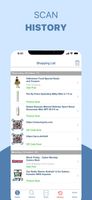
•Save all your scanning history to your Shopping List, which is synchronized across multiple devices and the Web
•Connect with Facebook, Twitter, Text, or Email to share your favorite products with others
•Supports the latest iPhones, iPads, and iOS; and on the web at BuyVia.com
How does Price Scanner work?
Install the Price Scanner App, launch it, after initial opening screens you can tap the barcode icon to scan any item. Optionally tap the light bulb if the area has little light.
How is Price Scanner different than the Apple Camera App?
Price Scanner can scan many types of barcodes including UPCs and also QR Codes. Camera App only scans QR Codes.
How is Price Scanner better at scanning QR Codes than the Apple Camera App?
Price Scanner can scan QR Codes and show you the entire link and either go to the link or cancel. You can look for spammy links and abort going to them. Camera App only shows a small part of the link.
How is the Price Scanner better than other Scanning Apps?
BuyVia's Price Scanner scans many barcodes including: UPC Barcodes, QR Codes. EAN, EAN-13, Code 128, Code 93, Code 39, Interleaved 2 of 5, CODABAR. It also maintains a list of barcodes scanned in a shopping list.
Is Price Scanner a Free app?
Yes, Price Scanner is free to download. You do not need to create an account to use the app.








 nfong8 added Price Scanner as alternative to QR Code Reader Pro, Barcode & QR Code Scanner, Barcode Scanner, QR & Bar Code Scanner Plus and 1 more
 BuyVia, LLC




No comments or reviews, maybe you want to be first?