





Pomotiki
Like
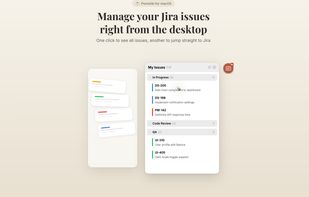
Your Jira board tracks tasks, but not focus. Checking tickets in Jira, setting a timer in one app, jotting notes in another - every switch breaks concentration. Pomotiki gives you a single flow: pick one task, lock in for 25 minutes, mark it done. Two clicks, not five apps.

Cost / License
- Free
- Proprietary
Platforms
- Mac


Features

Highlights All activities
Pomotiki News & Activities
Recent activities
- DoDraft added Pomotiki
 DoDraft added Pomotiki as alternative to Pomodozer Plus, TickTick, Gravity Focus, Domoro and 3 more

Licensing
Proprietary and Free product.Alternatives
7 alternatives listedBadge
Get an embeddable badge for PomotikiSupported Languages


No comments or reviews, maybe you want to be first?