PolyDrive Disk icon
PolyDrive Disk icon

PolyDrive Disk

 Like

Read & write NTFS, ext4, Btrfs, and XFS drives directly in Finder. Supports BitLocker & LUKS encrypted disks with native speed. One-time purchase, free trial, no subscription.
easy to use

Cost / License

  • Freemium (Pay once)
  • Proprietary

Since

  • New

Platforms

  • Mac  macOS 26 and up, Apple Silicon
0likes
0articles
Save

Features

Features

Highlights All activities

PolyDrive Disk News & Activities

Recent activities

PolyDrive Disk information

  • Developed by

    HAI JIN
  • Licensing

    Proprietary and Freemium product.
  • Pricing

    One time purchase (perpetual license) that costs $10 + free version with limited functionality.
  • Alternatives

    4 alternatives listed
  • Badge

    Get an embeddable badge for PolyDrive Disk
  • Supported Languages

    • English
    • German
    • French
    • Italian
    • Spanish
    • Portuguese
    • Russian
    • Chinese
    • Korean
    • Japanese
PolyDrive Disk was added to AlternativeTo by PolyDrive on and this page was last updated .

No comments or reviews, maybe you want to be first?

Official Links

What is PolyDrive Disk?

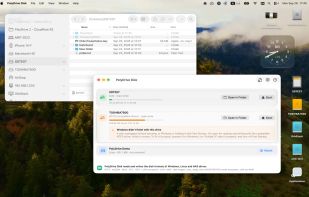
Use NTFS or Linux-formatted drives on your Mac like any other disk.

Plug in a USB drive, SD card or external disk formatted as NTFS or ext2/3/4 and it appears in Finder, ready to open, edit, copy and delete files. Eject it in app or Finder when you're done.

Nothing else need to be downloaded at runtime and no kernel extensions or helper tools are installed.

Read and write NTFS, ext2/3/4, Btrfs, XFS • Works with USB drives, SD cards and external disks • Automatic file system check and journal recovery when a drive wasn't ejected cleanly • Fully sandboxed; no system modifications