

PlistEdit Pro icon
PlistEdit Pro icon

PlistEdit Pro

 2 likes

PlistEdit Pro is the most advanced property list and JSON editor written for OS X. Avoid syntax errors, find and replace, full undo, keyboard navigation, scripting support, and much more.
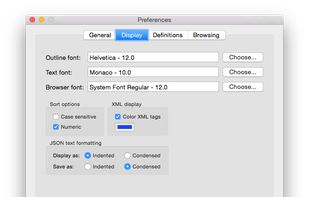
PlistEdit Pro screenshot 1

Cost / License

  • Pay once
  • Proprietary

Since

  • Since 2019

Platforms

  • Mac
2likes
0articles
Save

Features

No features, maybe you want to suggest one?

Highlights All activities

PlistEdit Pro News & Activities

Recent activities

No activities found.

PlistEdit Pro information

  • Developed by

    Unknown
  • Licensing

    Proprietary and Commercial product.
  • Pricing

    One time purchase (perpetual license).
  • Alternatives

    5 alternatives listed
  • Badge

    Get an embeddable badge for PlistEdit Pro
  • Supported Languages

    • English

Our users have written 1 comment or review about PlistEdit Pro, and it has gotten 2 likes.

PlistEdit Pro was added to AlternativeTo by yaoqb on and this page was last updated .

Comments and Reviews

   
ChrisWayg
0

Very good plist editor with lots of features.

Official Links

Install from the command line

  • brew install --cask plistedit-pro

Be careful what you paste into a terminal. Check what a command installs before running it.

What is PlistEdit Pro?

PlistEdit Pro is the most advanced property list and JSON editor written for OS X. Avoid syntax errors, find and replace, full undo, keyboard navigation, scripting support, and much more.

Mac and iOS developers must edit a variety of property list and JSON files while developing their applications. PlistEdit Pro makes editing these files easier by providing an intutive and powerful interface. In addition to being able to copy and paste or drag and drop property list data around, PlistEdit Pro also offers powerful find and replace functionality, as well as structure definitions which provide easy access to commonly used keys in various standard property list files.

Power users can also benefit from PlistEdit Pro's preferences browser, which allows easy access to property lists used by macOS to store settings on your system. Browse through your preferences, or search an entire folder of plist files at once for a particular key or value. PlistEdit Pro also enables automation of tasks involving property lists, via its Applescript support and its pledit command line tool.