Planck Alternatives

Planck is described as 'Access your clipboard history across all devices with seamless real-time sync and end-to-end encryption, ensuring your data is secure and accessible' and is a clipboard manager in the security & privacy category. There are more than 50 alternatives to Planck for a variety of platforms, including Mac, Windows, Linux, iPhone and iPad apps. The best Planck alternative is CopyQ, which is both free and Open Source. Other great apps like Planck are Ditto, Rememory, PasteBar and CopyCat Clipboard.

Copy a direct link to this comment to your clipboard
Planck alternatives page was last updated

Alternatives list

  1. Clipdiary icon
     19 likes
    Copy a direct link to this comment to your clipboard

    Clipdiary clipboard manager saves the complete clipboard history. With this windows clipboard manager you can reuse everything you were once copying - text, pictures, html links and even files!

    Cost / License

    • Free Personal
    • Proprietary

    Application type

    Platforms

    • Windows
     
  2. Shapeshifter icon
     15 likes
    Copy a direct link to this comment to your clipboard

    Shapeshifter is a clipboard manager that allows you to copy multiple items and keep them.

    Cost / License

    • Free
    • Open Source

    Application type

    Alerts

    • Discontinued

    Platforms

    • Windows
     
  3. Copy a direct link to this comment to your clipboard

    ClipboardZanager is a modern, quick and smart clipboard manager for Windows 10. It creates a historic of what you copy and let you paste the data at any time on any device.

    Cost / License

    • Free
    • Open Source

    Application type

    Platforms

    • Windows
     
  4. Copy a direct link to this comment to your clipboard

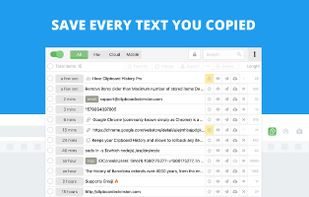
    Clipboard manager extension for your browser: history of copied text, favorite items, instant paste.
    Cost / License

    • Freemium
    • Proprietary

    Application type

    Platforms

    • Android
    • iPhone
    • Android Tablet
    • iPad
    • Microsoft Edge
    • Google Chrome
     
  5. Pastebot icon
     18 likes
    Copy a direct link to this comment to your clipboard

    Pastebot is a versatile clipboard manager for your Mac that stores what you recently copied so you can quickly retrieve them later. Create custom pasteboards for frequently used clippings. Build powerful filters that you can apply as you paste.

    Cost / License

    • Paid
    • Proprietary

    Application type

    Platforms

    • Mac
     
  6. Copy a direct link to this comment to your clipboard

    Desktop utilities and tools for PC and Mac power users, frequent writers and programmers. Includes ten+ apps like a notepad texteditor, calendar, unit conversion tool, password manager, stop watch, smart clipboard and much more.

    Cost / License

    • Freemium
    • Proprietary

    Application type

    Platforms

    • Mac
    • Windows
     
  7. CopyLess icon
     9 likes
    Copy a direct link to this comment to your clipboard

    CopyLess was designed not to replace the system clipboard, but to extend it in many ways. Everything you copy to the system clipboard is captured automatically, so you do not need to care how to get the data to CopyLess.

    Cost / License

    • Freemium
    • Proprietary

    Application type

    Platforms

    • Mac
     
  8. Ethervane Echo icon
     13 likes
    Copy a direct link to this comment to your clipboard

    Ethervane Echo is a clipboard extender for Microsoft Windows XP or later. It automatically captures any piece of text copied to clipboard from any Windows application, stores it in its database and lets you retrieve it easily whenever you need it.

    Cost / License

    • Free
    • Proprietary

    Application type

    Alerts

    • Discontinued

    Platforms

    • Windows
     
  9. Copy a direct link to this comment to your clipboard

    Clipboard Master is a handy utility designed to keep all previous texts, pictures and files copied to the clipboard in a list, for later use. Organize your text modules and snippets and paste them in any Windows program whenever you like.

    Cost / License

    • Free
    • Proprietary

    Application type

    Platforms

    • Windows
     
  10. Copy a direct link to this comment to your clipboard

    Advanced Recent Access is designed to see more properties of your recent used resources (files and directories). Key features: can see more properties of the recent resources, such as path, size, type, date modified and date created. And more.

    Cost / License

    • Subscription
    • Proprietary

    Application type

    Platforms

    • Windows
     
  11. Verve icon
     2 likes
    Copy a direct link to this comment to your clipboard

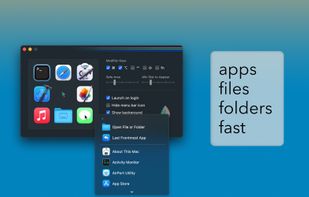
    Verve is a lightweight and blazingly fast launcher for accessing and opening applications, files and documents. It serves as a replacement for popular tools such as Spotlight, Raycast, and Alfred, and is written in the Rust programming language using the Tauri Framework.

    Cost / License

    • Free
    • Open Source

    Platforms

    • Mac
     
You are at page 6 of Planck alternatives