
PixResolve icon
PixResolve icon

PixResolve

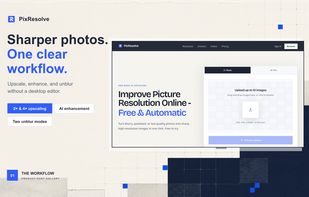
An online AI-powered image upscaler that turns blurry or low-resolution photos into sharp, high-resolution images up to 4x with no watermarks.
PixResolve screenshot 1

Cost / License

  • Subscription
  • Proprietary

Platforms

  • Online
  • Software as a Service (SaaS)
0likes
0articles
Save

Features

Properties

  1.  AI-Powered

No features, maybe you want to suggest one?

PixResolve News & Activities

Highlights All activities

Recent activities

PixResolve information

  • Developed by

    Unknown
  • Licensing

    Proprietary and Commercial product.
  • Pricing

    Subscription that costs up to $9 per month.
  • Alternatives

    3 alternatives listed
  • Badge

    Get an embeddable badge for PixResolve
  • Supported Languages

    • English

AlternativeTo Category

Photos & Graphics
PixResolve was added to AlternativeTo by wj0s3ph on and this page was last updated .

No comments or reviews, maybe you want to be first?

Official Links

What is PixResolve?

PixResolve is an automatic online image upscaler designed to restore and enlarge low-resolution, pixelated, or compressed photos using specialized AI models. It allows users to recover fine details, sharpen softened edges, and enhance overall picture quality directly within the browser without requiring complex desktop editing software.

Key Features

  • AI-Powered Upscaling: Enlarge images with 2× Basic or up to 4× Pro models while preserving natural textures and crisp lines.
  • Automatic Quality Restoration: Reduces compression noise, fixes blurry focus, and resolves artifacts caused by messaging apps, older sensors, or web thumbnail resizing.
  • No Watermarks: Clean, watermark-free downloads on both free and pro tiers.
  • Batch Processing: Upload and process up to 10 images at once (supports JPEG, PNG, and WebP formats up to 20 MiB each).
  • Interactive Before/After Viewer: Built-in split-slider to inspect fine details and texture authenticity before downloading.
  • Privacy-Focused Workflow: Files are securely processed in private storage with metadata stripped, and download access expires automatically after a 24-hour window.

How It Works

  1. Upload a JPEG, PNG, or WebP photo (up to 20 MiB).
  2. Choose between Free Basic 2× or Pro 4× AI enhancement.
  3. Preview the side-by-side comparison and download the enhanced high-resolution image.