

PicoBerry
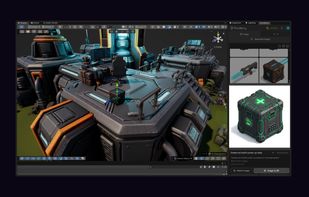
PicoBerry is an AI 3D workspace for games, VR, and beyond. Turn text or images into 3D models, animate them, and export to the tools you already use — one browser workspace, several AI engines.
Cost / License
- Freemium (Subscription)
- Proprietary
Platforms
- Online
- Software as a Service (SaaS)
Features
- Support for scripting
- Ad-free
- Dark Mode
- No Coding Required
- Model Context Protocol (MCP) Support
- Image to 3D
PicoBerry News & Activities
Recent activities
PicoBerry information
What is PicoBerry?
PicoBerry is an AI 3D workspace for games, VR, and beyond. Turn text or images into 3D models, animate them, and export to the tools you already use — one browser workspace, several AI engines.
Generating a mesh is only the first step; what usually stalls a project is everything after it. So the workspace covers remeshing to a target polycount, texturing, auto-rigging, and animation presets in the same place. And instead of committing to one vendor's model, PicoBerry routes across several 3D and image engines behind a single async REST API — you can query the live model list to see what is available. One subscription, one asset library, one integration surface.
For developers, everything is available through that REST API and an MCP server (@picoberry/mcp-server), so agents in Claude Code, Cursor, Claude Desktop, or Cline can generate and download assets directly.
Assets export as GLB, FBX, or OBJ, which suits real-time engines and XR pipelines alike. One-click bridges push finished assets into Blender, Unreal, and Godot; Unity is covered through the UModeler X plugin, included free on every plan.
Free tier: 1,000 credits/month with a CC BY 4.0 license for personal use. Paid plans start at $12/month and carry a full commercial license, unlimited asset storage, and REST API access. Failed generations are refunded automatically.


