Piano Glide turns MIDI into an interactive piano experience designed for learning, playing, and creating.
Open a song and start playing immediately. Follow along with clear visuals, choose which parts to perform, and hear the rest as accompaniment. Whether you're learning your first piece or refining technique, the app adapts to your workflow.
Practice That Feels Musical
Unlike traditional MIDI players, Piano Glide lets you control what you play and what you hear.
- Play the melody while the app handles accompaniment
- Practice left hand, right hand, or both hands
- Listen to a piece before attempting it
- Hear only your own performance for focused feedback
This makes practice more structured, flexible, and effective.
Built for Real Progress
Designed for repetition and improvement:
- Adjustable playback speed for learning difficult passages
- Separate best scores for each hand mode
- Clear visual guidance with an on-screen piano
- Structured song library organized by difficulty
From first notes to full performances, your progress is measurable.
Works With Any Setup
Use the app your way:
- Connect a MIDI keyboard with automatic range calibration
- Play using your Mac keyboard with labeled keys
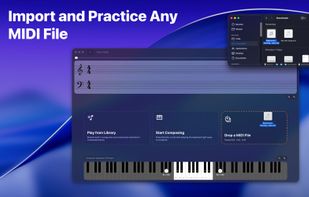
- Drag and drop .mid and .midi files instantly
- Explore built-in songs right away
No extra setup required—start playing in seconds.
Create and Capture Ideas
Go beyond practice with built-in composition tools:
- Experiment freely in an empty workspace
- Record your own performances
- Save compositions as standard MIDI files
- Keep your creations organized separately
Perfect for sketches, exercises, or new musical ideas.
Designed for Pianists
Whether you're learning, practicing, or composing, Piano Glide keeps everything simple, visual, and focused.
- Beginners build confidence with guided playback
- Intermediate players refine technique and timing
- Hobbyists and composers capture ideas quickly
Free mode lets you explore core features, while Full Access unlocks unlimited MIDI imports, compositions, and the complete song library.






 EU
EU


 Belf186 added Piano Glide as alternative to Falling Notes
 iskey added Piano Glide as alternative to Piano Nova
 Paul added Piano Glide as alternative to Flowkey, Piano Marvel, SmartMusic, Sightread and 19 more


 Diego Rivera


No comments or reviews, maybe you want to be first?