

peektea icon
peektea icon

peektea

Peek first. Open later. A TUI file browser built with bubble tea.
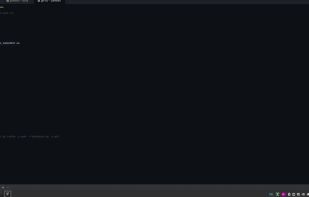
peektea screenshot 1

Cost / License

  • Free
  • Open Source (MIT)

Platforms

  • Linux
  • Mac
0likes
0comments
0articles

Features

Properties

  1.  Privacy focused
  2.  Lightweight
  3.  Minimalistic
  4.  Configurable

Features

  1.  Syntax Highlighting
  2.  Command line interface
  3.  No registration required
  4.  No Tracking
  5.  Ad-free
  6.  Works Offline
  7.  File preview
  8.  Terminal-based
  9.  Keyboard Navigation
  10.  Tui

peektea News & Activities

Highlights All activities

Recent activities

peektea information

  • Developed by

    lovestaco
  • Licensing

    Open Source (MIT) and Free product.
  • Written in

  • Alternatives

    14 alternatives listed
  • Supported Languages

    • English

AlternativeTo Categories

OS & UtilitiesFile ManagementOffice & Productivity

GitHub repository

  •  12 Stars
  •  0 Forks
  •  0 Open Issues
  •   Updated  
View on GitHub
peektea was added to AlternativeTo by Paul on and this page was last updated .
No comments or reviews, maybe you want to be first?

What is peektea?

A minimal terminal file browser built with Bubble Tea.

Peek through your filesystem with arrow keys (or vim keys), then pour each file straight into the app you've configured for it.

Why peektea?

  • Keyboard-first — arrow keys or vim keybindings (hjkl), no mouse required
  • Smart previews — text with syntax highlighting via bat, images via chafa, directory listings, and binary detection
  • Real-time filtering — narrow the list as you type, toggle hidden files on demand
  • Configurable openers — route every file extension to the program of your choice
  • WSL aware — automatically routes file opens through wslview or explorer.exe with path conversion

peektea Videos

Official Links