PDFZilla Alternatives

PDFZilla is described as 'Desktop software designed to convert PDF files into various formats. These formats include editable MS Word Documents, Rich Text Documents, Plain Text Files, Images, HTML Files, and Shockwave Flash SWF Files' and is an app in the office & productivity category. There are more than 50 alternatives to PDFZilla for a variety of platforms, including Windows, Web-based, Mac, iPhone and iPad apps. The best PDFZilla alternative is Nitro PDF . It's not free, so if you're looking for a free alternative, you could try Online Convert or Zamzar. Other great apps like PDFZilla are Able2Extract Professional, Online2PDF.com, PDF Conversa and CometDocs.

Copy a direct link to this comment to your clipboard
PDFZilla alternatives page was last updated

Alternatives list

  1. Copy a direct link to this comment to your clipboard

    Kingshiper PDF to Word Converter can handle various office document format conversions, including converting PDF to Word, PPT, Excel, HTML, TXT, and JPG; converting Word, JPG, Excel, and PPT to PDF.

    Cost / License

    • Freemium (Subscription)
    • Proprietary

    Platforms

    • Windows
     
  2. Copy a direct link to this comment to your clipboard

    Convert PDF to JPG online for FREE without registration, making it easy to view or manage your documents on any computer or mobile phone.

    Cost / License

    • Free
    • Proprietary

    Platforms

    • Online
     
  3. Copy a direct link to this comment to your clipboard

    The tool PDF2Word.io converts any PDF to an editable Word document (.doc, .docx) for free. Thereby, the conversion algorithms automatically detect images, tables and formulas in the original PDF and add it to the Word document.

    Cost / License

    • Free
    • Proprietary

    Platforms

    • Online
     
  4. Copy a direct link to this comment to your clipboard

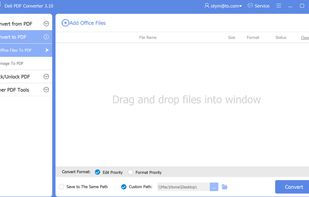
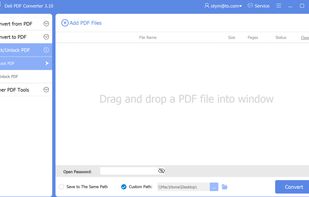
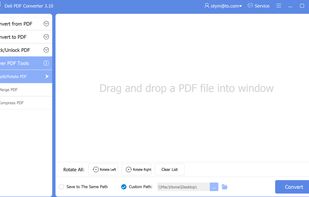
    Deli PDF Converter is a Windows PDF converter software capable of converting PDF documents to various file formats, such as PDF to Word, PDF to image, PDF to Html, PDF to Flash, etc., besides, it can turn other file formats to PDF document.

    Cost / License

    • Pay once
    • Proprietary

    Platforms

    • Windows
     
  5. Copy a direct link to this comment to your clipboard

    The most praised PDF to Word converter on the market. Easily and quickly convert PDFs from anywhere on your device, Dropbox, Google Drive, Gmail, Box and OneDrive, into editable MS Word documents. Easy-to-use app and powerful converting engines.

    Cost / License

    • Paid
    • Proprietary

    Platforms

    • iPhone
    • iPad
     
  6. Copy a direct link to this comment to your clipboard

    PDF Converter Tool - convert files to PDF and back with ease. Friendly UI, batch conversion and a huge number of supported formats (more than 50) make the application indispensable when working with documents.

    Cost / License

    • Pay once
    • Proprietary

    Platforms

    • Windows
    • Windows Phone
     
  7. Copy a direct link to this comment to your clipboard

    Easily Convert your TEXT document to a PDF file for free. No Installation and no registration needed.

    Cost / License

    • Free
    • Proprietary

    Platforms

    • Online
     
  8. Copy a direct link to this comment to your clipboard

    If you are looking for a simple and price-unbeatable application to convert PDF to Doc or Docx files. PDFtoWord Converter will be one of the most powerful PDF tools you should give a try. It is designed to boost productivity when you are working with PDF files and wish to turn...

    Cost / License

    • Pay once
    • Proprietary

    Platforms

    • Windows
     
  9. Copy a direct link to this comment to your clipboard

    Convert PDF to Video easily - 18 Image Transition Effects - Add Background Music - Convert PDF to mp4.

    Cost / License

    • Pay once
    • Proprietary

    Platforms

    • Windows
     
  10. Copy a direct link to this comment to your clipboard

    STDU Converter helps you convert DjVu, TIFF, DCX and Comic Book Archive (CBR or CBZ) to PDF by two clicks. You need only select source file and choose location for destination file.

    Cost / License

    • Free
    • Proprietary

    Platforms

    • Windows
     
  11. Copy a direct link to this comment to your clipboard

    PDF to Text is used to quickly convert PDF documents to plain text files in batch mode. It works without Adobe Acrobat or Adobe Reader, and has Command Line Interface (CLI), fast and accurate conversion ability, friendly GUI, small size.

    Cost / License

    • Subscription
    • Proprietary

    Platforms

    • Windows
     
  12. Copy a direct link to this comment to your clipboard

    PDF to DOC is used to convert PDF files to Word (.doc) or WordPad (.rtf) documents in batch mode. It works without Adobe Acrobat or Adobe Reader, and has friendly interface, small size, accurate and fast conversion ability.

    Cost / License

    • Subscription
    • Proprietary

    Platforms

    • Windows
     
You are at page 6 of PDFZilla alternatives