PDFify Alternatives

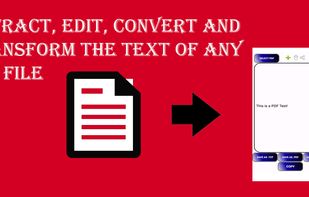
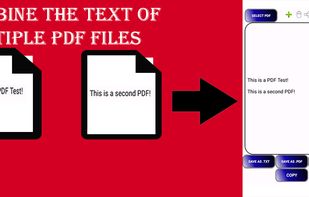
PDFify is described as 'PDF creation with text recognition and scanner support. Features email and webpage import to PDF. Reduce file size by optimizing PDF' and is an app in the office & productivity category. There are more than 100 alternatives to PDFify for a variety of platforms, including Windows, Web-based, Mac, iPhone and Linux apps. The best PDFify alternative is PDF-XChange Editor, which is free. Other great apps like PDFify are Stirling-PDF, PDF24 Creator, Tesseract and Adobe Acrobat DC.

Copy a direct link to this comment to your clipboard
PDFify alternatives page was last updated

Alternatives list

  1. Copy a direct link to this comment to your clipboard

    Create PDFs from virtually any printable Windows format with this fully free desktop software.

    Cost / License

    • Free
    • Proprietary

    Application type

    Platforms

    • Windows
     
  2. Copy a direct link to this comment to your clipboard

    ImageToText app allows you to extract editable ASCII text from images, and share the results by EMAIL or EVERNOTE.

    Cost / License

    • Free
    • Proprietary

    Platforms

    • iPhone
     
  3. Copy a direct link to this comment to your clipboard

    Aspose.Pdf for Cloud is a REST API to create, edit & manipulate PDF files. It also convert PDF file to DOC, DOCX, HTML, XPS, TIFF etc. You can create a new PDF either from scratch or from HTML, XML, template, database, XPS or an image.

    Cost / License

    • Paid
    • Proprietary

    Application types

    Platforms

    • Windows
    • Linux
    • Online
     
  4.  Like
    Copy a direct link to this comment to your clipboard

    PDF4Free creates PDF files from any Windows application running on Windows. It installs as a printer driver and when you print to that destination, it will create a PDF from the output.

    Cost / License

    • Free
    • Proprietary

    Platforms

    • Windows
     
  5. OCRify icon
     Like
    Copy a direct link to this comment to your clipboard

    OCRify converts images and PDFs into editable digital text. Upload your file, and the text is quickly recognized, allowing you to copy, edit, or save it.

    Cost / License

    • Free
    • Proprietary

    Platforms

    • Online
     
  6. LensOCR icon
     Like
    Copy a direct link to this comment to your clipboard

    Extract easy and fast any text on your Mac's screen.

    Cost / License

    • Freemium (Pay once or Subscription)
    • Proprietary

    Platforms

    • Mac
     
  7. Copy a direct link to this comment to your clipboard

    48h sale! Just take a photo of a text with phone number, e-mail address or URL and immediately call, write e-mail or open URL in Safari. Or just scan and OCR any text.

    Cost / License

    • Pay once
    • Proprietary

    Platforms

    • iPhone
     
  8. SearchOCR icon
     Like
    Copy a direct link to this comment to your clipboard

    Searching for a specific image in a folder of thousands can be a daunting task, and traditional search engines are often limited to searching only by filename. That's where SearchOCR comes in. OCR (Optical Character Recognition) technology allows our software to search for...

    Cost / License

    • Free
    • Proprietary

    Platforms

    • Mac
     
  9. Copy a direct link to this comment to your clipboard

    Text Detective finds and reads text in printed documents within seconds using your iPhone’s camera. The detected text can easily be read, edited, copied and pasted into documents, emails or other apps. It even stores all the scanned text in a history, which allows you to refer...

    Cost / License

    • Pay once
    • Proprietary

    Platforms

    • iPhone
     
  10. Copy a direct link to this comment to your clipboard

    Extract PDF data to JSON format with our automated tool. No manual intervention is required.

    Cost / License

    • Freemium (Pay once)
    • Proprietary

    Platforms

    • Online
     
  11. Copy a direct link to this comment to your clipboard

    pdfMachine is simple and fast, with no complicated options and is a native Windows print driver. If you know how to print from an application then you can use pdfMachine!

    Cost / License

    • Paid
    • Proprietary

    Platforms

    • Windows
     
You are at page 11 of PDFify alternatives