


PDF Plus
PDF Plus is a powerful PDF processor that will help you merge, split, watermark and crop PDF documents in just three easy steps.
Cost / License
- Pay once
- Proprietary
 EU
EUPlatforms
- Mac

Features
- Split PDF files
- Combine PDF
- Crop PDF
Tags
- pdf-watermark
PDF Plus News & Activities
Recent activities
PDF Plus information
Developed by
 64BitApps
 Licensing
Proprietary and Commercial product.Pricing
One time purchase (perpetual license) that costs $5.Alternatives
34 alternatives listedSupported Languages
- English



Featured in Lists

A list with 142 apps by boniaditya without a description.
What is PDF Plus?
PDF Plus is a powerful PDF processor that will help you merge, split, watermark and crop PDF documents in just three easy steps. For example, if you want to watermark a set of PDF documents with your company's logo, PDF Plus will do the job in just a few seconds. Just select the files you want to watermark, select the desired logo and PDF Plus will do the rest. In the same way you can crop, split and merge batches of PDF files. But here is a list of all the features that PDF Plus has to offer:
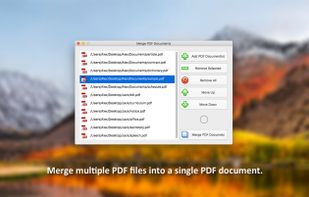
Merge PDF documents
- Add/Remove PDF documents
- Change the order in which the PDF documents will be merged
- Instantly merge all your PDF documents into a single PDF file
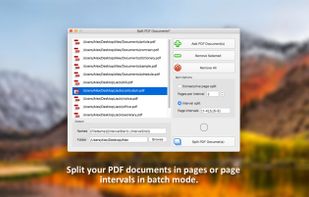
Split PDF documents in batch mode
- Add/Remove PDF documents
- Split PDF documents in pages and/or page intervals
- Give meaningful names to the resulting PDF files
- Save the resulting PDF files in a folder of your choosing
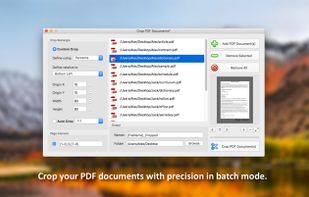
Crop PDF documents in batch mode
- Add/Remove PDF documents
- Define the crop rectangle using either points or percents
- Preview the crop rectangle for each PDF document
- Select the pages and/or page intervals that will be cropped
- Give meaningful names to the cropped PDF files
- Save the cropped PDF files in a folder of your choosing
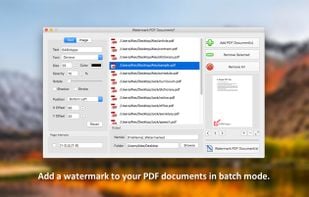
Watermark PDF documents in batch mode
- Add/Remove PDF documents
- Add a text watermark to your PDF documents for which you can customise the following:
- Text (this is the text that will appear watermarked on your PDF documents)
- Text Color (change the color of your text)
- Font Type (choose from 20 types of hand-picked fonts)
- Font Size (change the font size of your text)
- Opacity (make your text more opaque or transparent)
- Shadow (make your text more visible by adding a shadow effect)
- Stroke (make your text more visible by adding a stroke effect)
- Position (you can choose between: Bottom Left, Bottom Right, Top Left, Top Right and Center)
