


PDF Expert
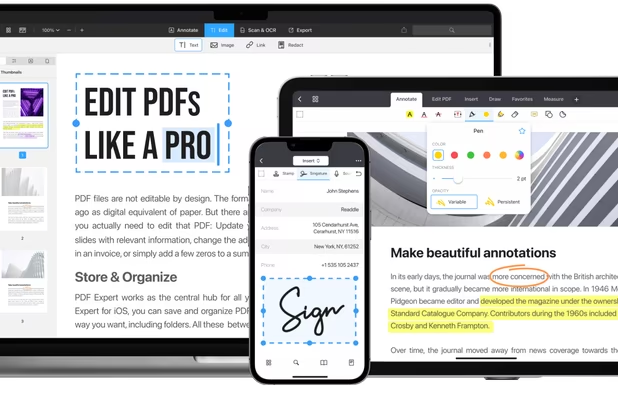
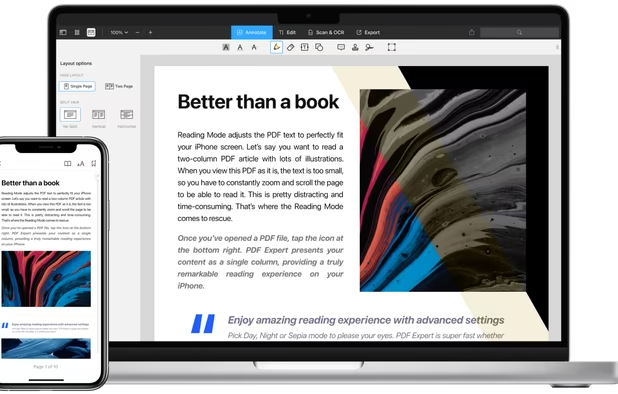
Read, annotate, and highlight PDFs, fill interactive forms with saved input, underline or strike through text, manage bookmarks, sync files from cloud services, and share documents. Compatible with Preview and Adobe Acrobat annotations, supporting extensive iOS features.
Cost / License
- Pay once or Subscription
- Proprietary
Application types
Platforms
- Mac
- iPhone
- iPad

Features
- PDF annotation
- Edit PDF
- Highlighter
- Combine PDF
- Works Offline
- Fill PDF Forms
- PDF encryption
- Cloud Sync
- Sign PDF files
- Dark Mode
- Split PDF files
- Built-in viewer
- Full-Text Search
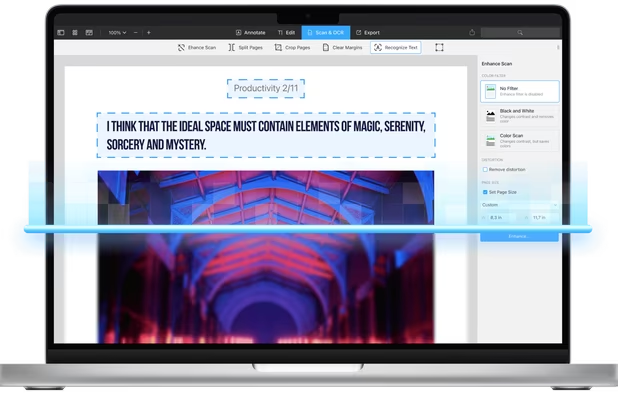
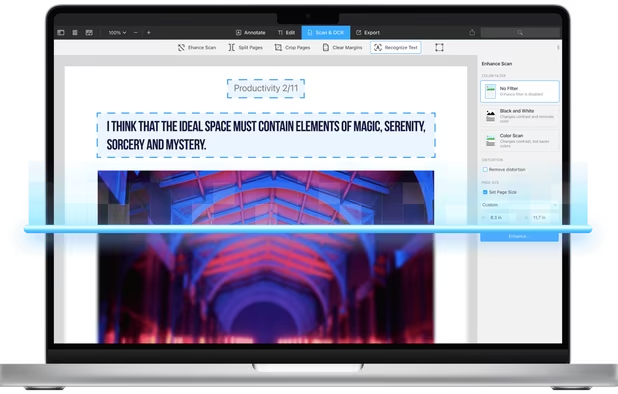
- OCR
- Mobile Scanner
- File Archiving
- Scan documents
- Scanner
 Dropbox integration
Tags
PDF Expert News & Activities
Recent News
Recent activities
 BerkerGungor added PDF Expert as alternative to ZapPDF
 OperandOps added PDF Expert as alternative to MorphPDF
 adrianzpr added PDF Expert as alternative to AlywinMind Toolbox @ Adrian
 alexanderglennorman added PDF Expert as alternative to DocxFlow
 The_Torpenite added PDF Expert as alternative to ReamPDF
 Pixellize added PDF Expert as alternative to Pixellize
 kikyoh-choh added PDF Expert as alternative to ShelfStream
 OrdinaryPerson added PDF Expert as alternative to PaperKnife
 kolaade271 added PDF Expert as alternative to FusioFiles
 Danielnke added PDF Expert as alternative to MorphoPDF




Featured in Lists

A list with 807 apps by AmileyaRyver without a description.

It was a big deal when Apple brought pressure-sensitivity to iOS devices through its innovative 3D Touch. Apple's user …

A list with 19 apps by virgilinojuca without a description.
What is PDF Expert?
PDF Expert is a versatile tool for reading, annotating, and saving PDF documents. It's compatible with both Preview and Adobe Acrobat and is the only iPhone application that can fill in PDF forms. Users can access documents from desktop computers, email attachments, Dropbox, MobileMe iDisk, GoogleDocs, and other iPhone applications.
The annotation feature complies with the PDF format specification, allowing users to edit highlights, text notes, and other annotations created in Apple Preview or Adobe Acrobat Reader. This makes sharing annotated files easy and convenient.
PDF Expert supports PDF forms created with Adobe Acrobat, including text fields, check boxes, and radio buttons. However, Dynamic XML PDF Forms created with Adobe LifeCycle must be converted to Static PDF Forms before use.
The application also allows users to highlight text, fill forms, create notes, save bookmarks, underline and strike-through words. This makes it easy to mark important sections, work with static PDF forms, add comments, create a table of contents, mark-up errors, and emphasize important sentences.

PDF Expert information
Developed by
 Readdle Limited
 Licensing
Proprietary and Commercial product.Pricing
One time purchase that costs $150, and / or subscription that costs $7 per month.Rating
Average rating of 4.3Alternatives
136 alternatives listedSupported Languages
- English
- French
- German
- Italian
- Japanese
- Portuguese
- Russian
- Chinese
- Spanish
- Ukrainian
AlternativeTo Categories
Office & Productivity, Photos & Graphics, File ManagementApple AppStore
- Updated
- 4.68 avg rating


Comments and Reviews
very good intuitive and functional tools for annotating as well as editing pdf files.
I use the free version on my iPhone and iPad mini. I can't edit PDFs directly, but I can add annotations, highlights, and markups. Works great with syncing to iCloud and google drive.
Lightweight and really well-made app to read and edit PDF's files. It has a nice offline OCR. It let you add outlines and bookmarks.
Lightweight and many features, intuitive. However it has a subscription model rather than just paying to license it
Have been using PDF Expert for 5 years and it's a very powerful tool that is constantly updated. I've become so used to PDF Expert, that I find it hard to use Adobe Reader. At TechNoir Solutions we have to edit a lot of contracts and documents. PDF Expert is a real help.
Very good Pdf app for pdf editing and viewing. Clean GUI, fast. I use it on iPad in combination with Documents and on my Mac; here for deleting pages and compressing. I get THE BEST results in compressing Pdfs. No noticeable quality loss with "high", but minimal file size. I always compress Pdfs with PDF Expert instead of Acrobat. It's easy and most effective. I would appreciate if the thumbnail overview could be changed in size and I miss export to png/jpg. Compared to other pdf edit apps Pdf Expert has much less options and functions, but it does well what it does.
Makes navigating large PDFs easy