
Paste Pen
Tool for drawing on screen, screenshots and inserting images. Perfectly suited for AI coding interactions, Presentations and Trading with charts overlay.
Features
Properties
- Lightweight
Features
- Remove Image Background
- Full-page Screenshot
- Works Offline
- No registration required
- Annotate Screenshot
- Ad-free
- No Coding Required
- Custom overlays
- Dark Mode
- Portable
- Drawing Board
- Trading Analysis
Paste Pen News & Activities
Recent activities
- yaroslav-softcode liked Paste Pen
- yaroslav-softcode added Paste Pen
yaroslav-softcode added Paste Pen as alternative to Epic Pen, gInk, CapyCursor and Screen Marker and Recorder
Paste Pen information
What is Paste Pen?
Paste Pen A portable app for drawing over the Windows screen, taking screenshots and inserting images with build in background removal. An extended alternative to Epic Pen and gInk. Perfectly suited for AI coding interactions, Presentations and Trading with charts overlay.". No installation required, fully open-source app.
💡 The idea for this app came from my dissatisfaction with how existing alternatives handle inserting images over the desktop. I decided to eliminate this shortcoming in my own app and include all the features I personally needed. Especially, I wanted a feature for inserting charts with the ability to stretch them, transform and remove the background.
Drawing & Tools:
- Draw with the left and right mouse buttons in different colors simultaneously.
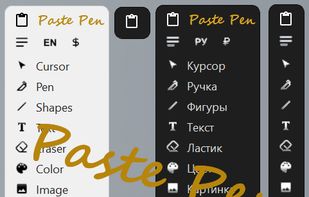
- Tools: Pen, Laser Pointer, Shapes (Line, Rectangle, Ellipse, Arrow), Text, Eraser.
- Flexible color and size selection for pen, shapes, text, and eraser.
- Selecting a font for text, moving, rotating, and scaling.
- Smart vector eraser: LMB erases pixels; RMB deletes an entire line or shape with a single click.
- Image Handling
- Smart Cut — a tool for adjusting the design of apps and websites right on your desktop and preparing a task for the AI to modify the code (automatically fills the cropped area's background with a color sampled from the original screen, seamlessly blending it with your desktop).
- Insert from a file or the clipboard: move, scale proportionally or freely, reshape.
- Background removal for inserted images — available at any time after insertion. The result can be saved back to disk.
- Insert chart feature with the ability to stretch them and remove the background.
- Layer management: bring images to the front or send them to the back.
- Presentation Mode (Insert Folder)
- Insert Folder without Background: each file is automatically stripped of its background as you scroll.
- Laser pointer (a red glowing dot) can be toggled on top of any active tool.
Screenshots & System:
- Capture a selected region together with your drawings.
- Save to the clipboard and open in the system's default image viewer.
- Multi-monitor support.
- Interface in 12 Languages: English, Russian, Chinese, Spanish, Portuguese, French, German, Italian, Arabic, Hindi, Japanese, Korean (language preference is saved automatically).
- Light and dark UI themes.
- Collapsible animated toolbar.
Controls LMB + RMB simultaneously - Instantly switch to Cursor mode; disable laser pointer
Paste Pen.exe — a single portable file. No installation needed: download and run.
?? The program is not digitally signed, so Windows 11 may display a "Windows protected your PC" SmartScreen warning. This is a false positive: the source code is fully open and safe.
License MIT License — free to use for any purpose.


