PartitionExplorer icon

PartitionExplorer

 Like

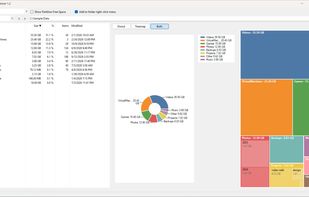
See what's using your disk space on Windows, with a donut chart and a treemap.
PartitionExplorer screenshot 1

Cost / License

  • Free
  • Open Source (MIT)

Since

  • New

Updated

  • Updated Oct 2026

Platforms

  • Windows
PartitionExplorer screenshot 1
PartitionExplorer screenshot 2
+1
PartitionExplorer screenshot 3
Alternatives
0likes
0alternatives
0articles
Save

Features

Properties

Features

Highlights All activities

PartitionExplorer News & Activities

Recent activities

PartitionExplorer information

AlternativeTo Categories

OS & Utilities, System & Hardware

GitHub repository

  •  0 Stars
  •  0 Forks
  •  0 Open Issues
  •   Updated  
View on GitHub
PartitionExplorer was added to AlternativeTo by nuksee on and this page was last updated .

No comments or reviews, maybe you want to be first?

What is PartitionExplorer?

PartitionExplorer shows you what is filling up your drives.

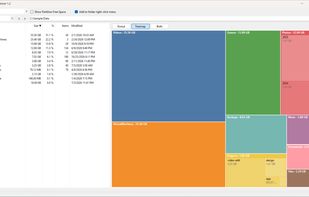
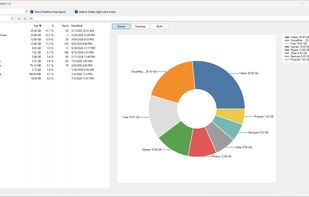
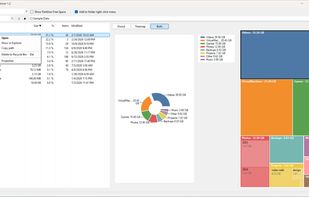
Pick a drive or folder and PartitionExplorer scans it in the background, then shows every subfolder with its exact size, its share of the folder, how many items it holds and when it last changed. A donut chart and a treemap show at a glance where the space goes. Click any slice or box to dive into that folder.

Features: • Donut chart, treemap, or both side by side, with matching colours • Fast background scanning that you can cancel at any time • Sortable list with size, %, item count and modified date • Back, forward and up navigation, plus keyboard and mouse shortcuts • Type or paste any path, including environment variables like %USERPROFILE% • Right-click to open a file, show it in Explorer, copy its path, delete it to the Recycle Bin or view its properties • Junctions and symbolic links are skipped, so nothing is counted twice • Clean, flat look that remembers your window layout

PartitionExplorer collects no data and makes no network connections.