
P
P

ParkControl

 3 likes

Tweak CPU Core Parking w/o Reboots.
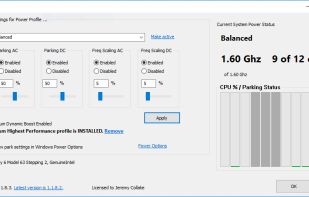
ParkControl screenshot 1

Cost / License

  • Free
  • Proprietary

Since

  • Since 2017

Platforms

  • Windows
3likes
0articles
Save

Features

Highlights All activities

ParkControl News & Activities

Recent activities

ParkControl information

Popular alternatives

View all
ParkControl was added to AlternativeTo by jbmregs on and this page was last updated .

No comments or reviews, maybe you want to be first?

Featured in Lists

Win 11 Favourites

A list with 86 apps by Starflux923 without a description.
By Starflux92386 appsUpdated

Official Links

Install from the command line

  • winget install -e --id BitSum.ParkControl

Be careful what you paste into a terminal. Check what a command installs before running it.

What is ParkControl?

Tweak CPU Core Parking w/o Reboots

Offers users full control of the CPU core parking settings and CPU frequency settings for every power plan. The CPU core parking settings are hidden by default, which is why it was initially created, but then the utility grew. It also provides a real-time display of both core parking and frequency scaling. With ParkControl Pro, a user can completely disable CPU core parking and frequency scaling for any specified power plan, or they can merely dial it back a bit.

KEY FEATURES:

CPU Control. Ability to tweak, unhide, and control CPU core parking and frequency scaling without reboots! Bitsum Highest Performance. Create a power plan that auto-optimizes your hardware for max performance far beyond the system default ‘High Performance’ power plan. Bitsum Dynamic Boost*. Auto-switch power plans when your PC goes active or idle. Stay running in Bitsum Highest Performance Mode while using your PC. Power Plan Change Notification – Shows you when your active power scheme changes and what process initiated the change. *Only Available with a Pro License!