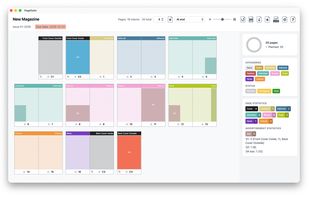
PageTatin is a flatplan software for planning magazines and publications. It works on macOS and Windows and supports five languages. It requires a one-time payment with no subscription.
The features of PageTatin are extensive and user-friendly. They include advertisements, auto-save, and a context-sensitive sidebar. Cursor indicators are also incorporated for easy navigation.
The software is highly customizable, allowing users to modify categories, statuses, UI colors, and UI elements. It also supports the drag and drop feature for thumbnail images. Editorial regions are another key feature, along with the ability to hide cover pages.
Additional features include hyphenation in exported PDFs and inserts. For ease of use, license management is included. There are also live page count and zoom, searchable help files, and milestones.
The software also includes movable dialogues and the ability to move, copy, and swap editorial regions and ads. It uses a native file format for easy compatibility. Page actions are also included, along with page and ad statistics.
Page notes with bulk editing are available, along with a page preview feature. Page thumbnails (PDF, PNG, JPG) are supported, as well as PDF and JSON export. The software also includes a progress ring and a project setup feature.
Sketch mode is another unique feature, along with statistics only. There's also a warning for unsaved changes and an update-checker to ensure you're always using the latest version of the software.







 EU


 René Andritsch


No comments or reviews, maybe you want to be first?