OSFMount icon
OSFMount icon

OSFMount

 25 likes

OSFMount allows you to mount local disk image files (bit-for-bit copies of a disk partition) in Windows with a drive letter. You can then analyze the disk image file with PassMark OSForensics by using the mounted volume's drive letter.
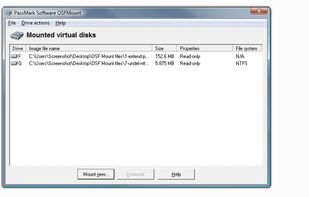
OSFMount screenshot 1

Cost / License

  • Free
  • Proprietary

Application type

Since

  • Since 2011

Platforms

  • Windows
25likes
0articles
Save

Features

Properties

Features

Highlights All activities

OSFMount News & Activities

Recent News

No news, maybe you know any news worth sharing?

Share a News Tip

Recent activities

  • Info-Aggregator updated OSFMount
  • RemovedUser updated OSFMount

OSFMount information

AlternativeTo Category

CD/DVD Tools

Our users have written 2 comments and reviews about OSFMount, and it has gotten 25 likes.

OSFMount was added to AlternativeTo by Danilo Venom on and this page was last updated .

Comments and Reviews

   
ILYA_
1

Works great with CloneZilla backeduped raw-images. The function of copying files from raw-images is more convenient and reliable than that of WinHex gui-function.

SouzaRM
0

Very nice! Thanks!

Featured in Lists

Disk

A list with 3 apps by RemovedUser without a description.
By RemovedUser3 appsUpdated

What is OSFMount?

OSFMount allows you to mount local disk image files (bit-for-bit copies of a disk partition) in Windows with a drive letter. You can then analyze the disk image file with PassMark OSForensics by using the mounted volume's drive letter. By default, the image files are mounted as read only so that the original image files are not altered.

OSFMount also supports the creation of RAM disks, basically a disk mounted into RAM. This generally has a large speed benefit over using a hard disk. As such this is useful with applications requiring high speed disk access, such a database applications, games (such as game cache files) and browsers (cache files). A second benefit is security, as the disk contents are not stored on a physical hard disk (but rather in RAM) and on system shutdown the disk contents are not persistent.

OSFMount supports mounting images of CDs, which can be useful when a particular CD is used often and the speed of access is important.

Formats supported: Raw Image (.IMG, .DD), Raw CD Image (.ISO, .BIN), Split Raw Image (.00n), Nero Burning ROM Image (.NRG), System Deployment Image (.SDI), Advanced Forensics Format Images (AFF), Advanced Forensics Format Images w/ meta data (AFM), Advanced Forensics Format Directories (AFD) e VMWare Image (.VMDK).