




OpenMirrorPhone
Like
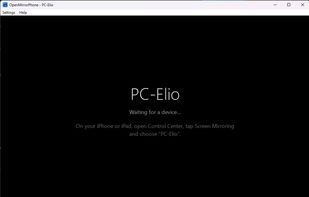
Free, open-source AirPlay screen mirroring receiver for Windows 10/11. Mirror iPhone, iPad or Mac to your PC with audio, low latency and MP4 recording.

Cost / License
- Free
- Open Source (GPL-3.0)
 EU
EUPlatforms
- Windows
Add Alternatives

0likes
0alternatives
0articles
Features
Highlights All activities
OpenMirrorPhone News & Activities
Recent activities
- ImElio added OpenMirrorPhone
Developed by
 Elio
Elio Licensing
Open Source (GPL-3.0) and Free product.Written in
Alternatives
0 alternatives listedBadge
Get an embeddable badge for OpenMirrorPhoneSupported Languages

AlternativeTo Categories
Video & Movies, System & HardwareGitHub repository
- 0 Stars
- 0 Forks
- 0 Open Issues
- Updated
No comments or reviews, maybe you want to be first?