


OpenBoard
68 likes
OpenBoard is a 100% foss keyboard based on AOSP, with no dependency on Google binaries, that respects your privacy.
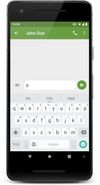

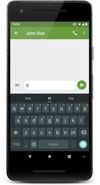

+2
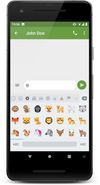

 EU
EUPlatforms
- Android
- Android Tablet
- F-Droid
Discontinued
Last commit was in December 2022, and it's not available in the Google Play Store anymore.  HeliBoard is an active fork

Features
OpenBoard News & Activities
Highlights All activities
Recent News
No news, maybe you know any news worth sharing?
Share a News Tip
Recent activities
 DomIsDazed added OpenBoard as alternative to MA Keyboard
 GerritHumberg added OpenBoard as alternative to Keyboard Designer
- eslam900999 liked OpenBoard
 3F1 added OpenBoard as alternative to Squeekboard
- 6pR liked OpenBoard
- leandrormaced097 liked OpenBoard
- WeiHua Liu liked OpenBoard
- alt-search liked OpenBoard


Featured in Lists



How to live without Google
For many the Internet is Google: Search, mail, videos, web browser, cloud services, mobile OS, etc. – Google is the major player in all these fields. But Google uses all data it gathers across its services to post targeted ads, and to massively profit from the data many share so freely with the Internet giant. Your personal data can also be subpoenaed by lawyers, including for civil cases like divorce. Google answered over 200,000 such data requests in 2020 alone.
More and more people are also realizing the risk of relying on one company for so many personal services. So, the time has come to stop this unlimited data mining and to take back our right to privacy. Here's a quick guide as to how you can use the Internet without sharing all your data with Google.


The ultimate F-Droid setup (300+ Apps)
WHAT IS F-DROID ?
F-Droid is an awesome app repository for FOSS (Free & Open Source Software) android apps. From productivity apps to games, f-droid has (almost) everything you need.
Hope you will discover useful FOSS apps to free your phone from Big Tech^^
REPOSITORIES :
This list includes apps from the official f-droid repo but also from IzzyOnDroid and some customs repositories which will be always linked so you can add them easily.
CATEGORIES :
F-Droid clients
Utilities
Social & Communication / 8 subcategories
Health / 7 subcategories
Customization / 3 subcategories
Gaming / 3 subcategories
Internet / 6 subcategories
Productivity / 15 subcategories
Privacy / 5 subcategories
Security / 4 subcategories
Media apps / 10 subcategories
If you care about privacy check :
Privacy focused OS for everyone
My privacy and user friendly setup
For more FOSS Android apps check : Beautiful Open Source Apps for Android
DISCLAIMERS :
Adding custom repo might not be as secure as the official one so I'm not responsable if you encounter any problems with them ! I encourage you to do your own research about it !
Also while open source is great for privacy and security it is not perfect. So keep that in mind before downloading any apps.
Most apps that I've listed are privacy friendly but some might be not be perfectly private and secure. I again encourage you to do your own research about them.
I am not a privacy and security expert. I'm also don't consider myself as a developper so I do not have any technical knowledge and so I didn't look into any source code of any apps in this list !
English is not my mother tongue ^^'


Without Microsoft, Google, Facebook, Apple & the rest Big Tech
(in progress)
The higher the level - the lower the level of comfort and stability, but higher the level of freedom and ethical, respectful treatment of you.
Don't choose the highest level everywhere at once (you can go crazy that way), choose what you need to accomplish your tasks and move slowly to the next level (if you understand what you really need it)

What is OpenBoard?
OpenBoard information
Developed by
 dslul / Daniele Laudani
 Licensing
Open Source (GPL-3.0) and Free product.Written in
Rating
Average rating of 4.1Alternatives
36 alternatives listedBadge
Get an embeddable badge for OpenBoardSupported Languages

AlternativeTo Category
OS & UtilitiesGitHub repository
- 2,745 Stars
- 317 Forks
- 431 Open Issues
- Updated


Comments and Reviews
Currently, the best version of OpenBoard to use is Helium314's fork, which is still being maintained: https://github.com/Helium314/openboard (Update: Helium314's fork of OpenBoard has been renamed to HeliBoard)
To enable gesture typing, download Google's gesture typing library at [https://github.com/erkserkserks/openboard/tree/master/app/src/main/jniLibs/arm64-v8a](https://github.com/erkserkserks/openboard/tree/master/app/src/main/jniLibs/arm64-v8a) and then import it by opening the OpenBoard settings app, going to "Advanced", and then choosing "Load gesture typing library". Note: Google's library is proprietary and not open source.
Its the best open source keyboard :)
fork https://github.com/Helium314/openboard
I come from years of using SwiftKeys, both before and after Microsoft acquisition. I started wanting to change after noticing that SwiftKeys systematically crashed when opening big files (I initially thought it was the editor's fault or the Android OS limitation, but no, it was the keyboard!). So I decided to change for a FLOSS alternative.
One of my main condition was that it needed to support Colemak, which I consider one of the fastest layout to type on mobile. I tried all available keyboards, and long story short, OpenBoard is the best one hands down as of September 2023, by far. The only contenders are FlorisBoard and The Hacker's Keyboard, but they both lack word correction/prediction.
OpenBoard does not seem special on the first try, but after weeks of continuous use, I noticed some incredible hidden features, for example :
And I forget others but already you can see that a lot of thoughts were given to user ergonomy.
It does not support swiping unfortunately, but it does support words prediction and correction, and is multilingual (but contrary to SwiftKey it does not support multiple languages simultaneously, you have to switch to the language you want to be able to correct, but it's very fast there is a language switch key just on the left of the spacebar).
And best of all, it can handle huge text files! Since I switched, I can write notes of seemingly infinite length in Markor (an opensource Markdown notes editor). And it's always fast, whereas for big documents, SwiftKey (when it could still handle the big but not enormous documents) would be VERY slow to open and react to inputs with big delays, on the other hand OpenBoard is always incredibly fast.
So I can only recommend this awesome keyboard with lots of support for various languages and layouts, and the only FLOSS one with corrections/predictions support.
/EDIT: Since first writing this review, I came across a more up to date fork that is still being currently developed by one of the original devs, and it implements a LOT of new features, including much improved dictionaries and true multilanguage dictionaries (eg we can combine german and english or any other pair!), emojis and math symbols dictionaries (ie, can predict emojis from raw text!) and it also supports swiping using the Google's proprietary implementation (because no opensource implementation exists currently). So I strongly recommend using the actively maintained fork: https://github.com/Helium314/openboard
It's a good privacy keyboard, but not better than Gboard (firewalled from internet), and it's 3-5x as large as other privacy keyboards.
Currently the best FOSS keyboard, followed closely by florisboard. This one is missing swipe type and automatic language selection to be perfect
A great privacy alternative to Gboard!