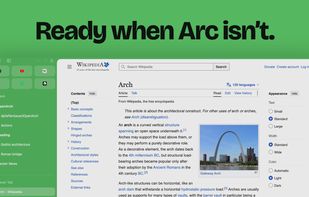
Arc closes. OpenArch opens. The sidebar browser you know, rebuilt as open source on real Chrome. Your spaces, logins and extensions move over in one step.
Everything comes along.
OpenArch reads your Arc data right on your Mac. No account, no upload. Arc stays untouched.
- Spaces, colors & icons
- Favorites
- Pinned tabs & folders
- Open tabs & split views
- Logins & cookies
- Saved passwords
- History
- Extensions & settings
⌘T finds everything.
One field for addresses, searches, open tabs, pinned pages, history and commands. Enter takes you there, or straight back to the tab you already have.
Two pages, one view.
Drag a tab onto the page, or onto another tab in the sidebar. Up to four pages side by side or stacked, with dividers you can drag.
A space for every part of your day.
Each space has its own color, pinned folders and tabs. Give it a profile and it keeps its own logins and extensions, so work and private never mix.
And all the little things.
- Peek: Links open in a card over the page. Keep, split, or Esc.
- Boosts: Recolor a site, zap what annoys you, add your own CSS and JS.
- Site search and questions: Type yt or gh, press Tab, search that site. A whole question goes to Claude or ChatGPT.
- Link rules: Links from Mail or Slack go straight to the right space.
- Media controls: What plays elsewhere shows in the sidebar, then picture-in-picture.
- Hover sidebar: Hide it, touch the left edge, and it floats back.
- Glass: Let the desktop shine through. On macOS 26 the whole window is one sheet of Liquid Glass in your space’s color.
- GitHub live folders: Pinned folders that fill themselves with your pull requests, reviews or issues.
- Sleeping tabs: Tabs you have not looked at in a while free their memory and wake up when you come back.
- Private windows: Their own profile in memory, no history, gone when you close them.
- Real Chrome tabs: Every extension from the Chrome Web Store, DevTools included.
- Updates by themselves: Each new Chromium build, checked and installed when you quit.






 EU


 Paul added OpenArch as alternative to Zen Browser, Mozilla Firefox, Brave, Google Chrome and 46 more


 Dominik Pfaffenbauer


No comments or reviews, maybe you want to be first?