Online Image Converter Alternatives

Online Image Converter is described as 'Converts your BMP, JPG, PNG, GIF or ICO files quickly and easily. It is completely free' and is a Image Converter in the photos & graphics category. There are more than 50 alternatives to Online Image Converter, not only websites but also apps for a variety of platforms, including Windows, Mac, Linux and SaaS apps. The best Online Image Converter alternative is XnConvert. It's not free, so if you're looking for a free alternative, you could try XnConvert or Online Convert. Other great sites and apps similar to Online Image Converter are Switcheroo Image Manipulation, Greenfish Icon Editor Pro, FastStone Photo Resizer and Filestar.

Copy a direct link to this comment to your clipboard
Online Image Converter alternatives page was last updated

Alternatives list

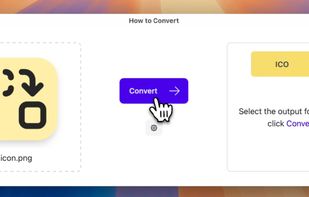
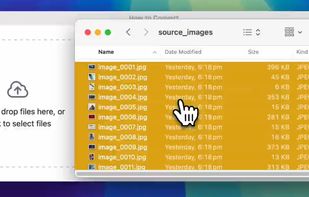
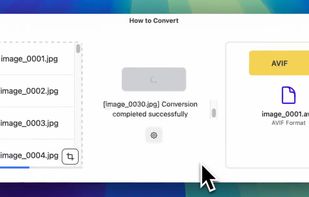
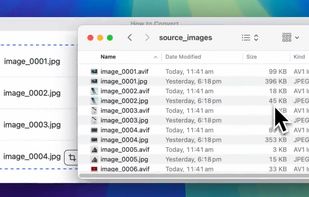
  1. Process files locally without uploads, ensuring privacy and security. Offers unlimited conversions for various formats on any platform. Works offline, supports a broad range of file types, lets users request new formats, avoids subscriptions, and collects no data.

    Cost / License

    • Paid
    • Proprietary

    Application type

    Platforms

    • Mac
    • Windows
    • Linux
    • Online
     
  2. Instantly convert image files and multi-page PDFs to JPEG using a Mac-exclusive app. Features advanced control for resizing, compression, batch processing, and support for multiple formats and workflows, all through an intuitive drag-and-drop Dock interface.

    Cost / License

    • Free
    • Proprietary

    Application type

    Platforms

    • Mac
     
  3. Image2icon icon
     11 likes

    Image2Icon is an application to create icons from images or images from icons, keeping them organized for future use.

    20 Image2icon alternatives

    Cost / License

    • Freemium
    • Proprietary

    Platforms

    • Mac
     
  4. Favicon.cc icon
     4 likes

    favicon.cc is a tool to create or download favicon.ico icons, that get displayed in the address bar of every browser.

    Cost / License

    • Free
    • Proprietary

    Platforms

    • Online
     
  5. ToYcon icon
     3 likes

    ToYcon lets you create icons by simply dragging and dropping images onto its box-shaped interface. The program supports all the popular graphic formats and converts them right to ICO as soon as you drop the file on its interface.

    Cost / License

    • Free
    • Proprietary

    Application type

    Alerts

    • Discontinued

    Platforms

    • Windows
     
  6. iConvert Icons icon
     11 likes

    iConvert converts and creates Windows, Mac and Linux icons in one step.

    Cost / License

    • Freemium
    • Proprietary

    Platforms

    • Online
     
  7. Faviconer.co icon
     1 like

    Faviconer.css provides a quick and easy way to create site icons (favicons). Just enter some text, select a font and colors and Download.

    Cost / License

    • Free
    • Proprietary

    Platforms

    • Online
     
  8. DocsPal icon
     8 likes

    DocsPal is a free online file converter. Convert your files online, instantly and for free: documents, video, audio, images, e-books, archives. You can also view your document directly in our Viewer page. And there is no need to download any software.

    Cost / License

    • Free
    • Proprietary

    Platforms

    • Online
     
  9. PixTrim icon
     1 like

    PixTrim is a simple online tool to resize, crop, compress, convert, flip, and rotate images in popular formats like JPG, PNG, WebP, AVIF, and HEIC — all for free and right in your browser.

    Cost / License

    • Free
    • Proprietary

    Platforms

    • Online
     
  10. AVS Document Converter is an easy-to-use software application designed to view and convert various types of documents. AVS Document Converter can quickly and easily perform the following tasks:

    Cost / License

    • Freemium
    • Proprietary

    Platforms

    • Windows
     
  11. The File Converter will convert to and from nearly any file format!

    The File Converter can convert Videos, Audio, Documents, Ebooks, Images and Archives!

    1. Choose your input file

    2. Choose your output file format and file name

    3. Convert!

    4. Open your file in another app su.

    Cost / License

    • Paid
    • Proprietary

    Platforms

    • iPhone
    • iPad
     
You are at page 2 of Online Image Converter alternatives