


AVS Document Converter
2 likes
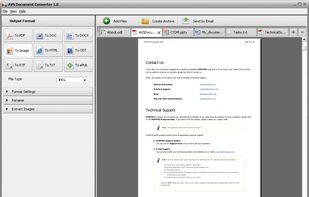
AVS Document Converter is an easy-to-use software application designed to view and convert various types of documents. AVS Document Converter can quickly and easily perform the following tasks:

Cost / License
- Freemium
- Proprietary
Platforms
- Windows


Features
Highlights All activities
AVS Document Converter News & Activities
Recent activities
 Emin added AVS Document Converter as alternative to PDF Toolkit: Edit, Merge, Sign
 OperandOps added AVS Document Converter as alternative to MorphPDF
 Paul added AVS Document Converter as alternative to pdfly


Developed by
 Online Media Technologies Ltd.
 Licensing
Proprietary and Freemium product.Pricing
free version with limited functionality.Alternatives
68 alternatives listedBadge
Get an embeddable badge for AVS Document ConverterSupported Languages


Comments and Reviews
NOT free. $39/year subscription or $59 one-time (with use of 5 AVS apps). However, the license is for one computer. 2nd license req'd for add'l computer.