
OnePanel icon
OnePanel icon

OnePanel

 3 likes

Combines messaging, email and collaboration web apps in a desktop workspace. Isolated sessions keep accounts separate, while workspaces, custom URL apps and split views organize tasks. Native notification previews, calendar and auto-sleep support daily use.
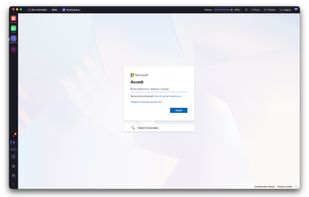
OnePanel screenshot 1

Cost / License

  • Freemium (Subscription)
  • Proprietary

Application type

Since

  • Since 2026

Platforms

  • Windows
  • Mac
3likes
0articles
Save

Features

Properties

Features

Highlights All activities

OnePanel News & Activities

Recent activities

  • ahmed_yac A comment was removed from OnePanel
  • Simone-Sartor reviewed OnePanel  

    I'm using OnePanel around four hours a day. I especially love password autofill and the built-in 2FA authenticator, no need to keep reaching for my phone. It makes managing my apps and accounts much easier and saves me time every day!!

  • Simone-Sartor added Ad-free as a feature to OnePanel
  • Simone-Sartor liked OnePanel
  • ahmed_yac liked OnePanel
  • gianlucainnocente rated OnePanel  
  • gianlucainnocente liked OnePanel
  • Fla updated OnePanel
  • ahmed_yac added OnePanel
  • Fla updated OnePanel

OnePanel information

  • Developed by

    IT flagOnePanel
  • Licensing

    Proprietary and Freemium product.
  • Pricing

    Subscription that costs $5 per month + free version with limited functionality.
  • Alternatives

    8 alternatives listed
  • Badge

    Get an embeddable badge for OnePanel
  • Supported Languages

    • English
    • Italian
    • French
    • Arabic
    • Hindi
    • Chinese

Our users have written 1 comment or review about OnePanel, and it has gotten 3 likes.

OnePanel was added to AlternativeTo by ahmed_yac on and this page was last updated .

Comments and Reviews

   
Simone-Sartor
0

I'm using OnePanel around four hours a day. I especially love password autofill and the built-in 2FA authenticator, no need to keep reaching for my phone. It makes managing my apps and accounts much easier and saves me time every day!!

Review from a new or low-activity account — shown here, but not counted in the app rating.

What is OnePanel?

OnePanel is a desktop application designed to simplify the way people manage communication and productivity tools by bringing them into a single, unified workspace. Instead of constantly switching between different apps like messaging platforms, email clients, and collaboration tools, OnePanel allows users to run and organize all of them in one place, improving focus and efficiency.

The app supports multiple workspaces and accounts, enabling users to separate personal and professional environments while keeping everything easily accessible. Each app runs in its own isolated session, ensuring security and preventing conflicts between accounts. With features like split view, users can work with multiple apps side by side, reducing the need for tab switching and helping streamline daily workflows.

OnePanel also offers customization options, allowing users to add any web-based app through a simple URL, tailor layouts to their preferences, and optimize how they interact with their tools. Native notifications ensure that important updates are never missed, while performance optimizations such as auto-sleep help reduce resource usage when apps are not actively in use.

Available for both macOS and Windows, OnePanel is built for professionals, remote workers, and teams who rely on multiple communication platforms and want a cleaner, more organized, and more productive digital workspace. By centralizing tools into a single interface, it eliminates unnecessary friction and helps users stay focused on what matters most.