onekeyirc is the standalone, command-oriented IRC client. It keeps a live conversation tail above a compact input field, can remain connected while detached from SSH, and supports saved profiles for several IRC servers. It uses POSIX terminal interfaces directly and has no curses or terminfo dependency.
Commands beginning with / belong inside the client. Shell commands begin with the executable name. Type each example separately. Replace the sample host, nickname, and channel with your own;irc.example.org is a placeholder.
Dismiss the welcome, then type this command. Its initial / opens Command:
/connect -nick mynick irc.example.org 6697
Wait for the server's welcome/registration reply, then enter:
/join #mychannel
Once the channel is joined, ordinary typing composes a message to the
selected conversation. Check the destination before pressing Enter.
A new destination defaults to verified TLS on port 6697. A port number alone does not disable TLS. -tls (also-ssl) or a +PORT selects TLS explicitly; -plain explicitly selects unencrypted IRC. Credential authentication requires verified TLS.
A matching saved server reuses its settings. /server HOST [PORT] is a
connection alias. With several identities on one bouncer host, select the
intended saved profile by number instead of assuming the hostname identifies the right account. Without a supplied nickname, the client uses a valid Unix login name, or user as a fallback.
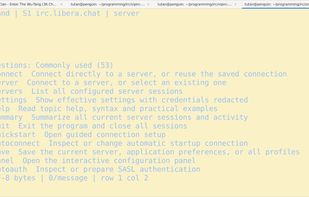
/quickstart offers guided connection setup. /panel opens the settings selector: 0 edits application preferences; 1 through 8 edit server profiles. Read the final action before accepting it. Quickstart defaults to Connect once, server panels to Save only, and application preferences to Save. Saving or applying connection edits does not interrupt a live connection. If your server requires credentials, configure that profile before








No comments or reviews, maybe you want to be first?