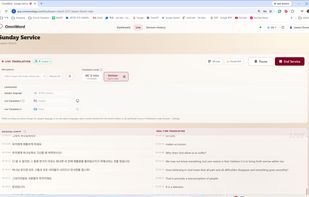
OmniWord is a browser-based platform that helps churches deliver live sermon translation during Sunday services. A media-booth operator opens OmniWord on the church PC, selects the sermon microphone, and starts translation.
Captions can go two ways at once. On site, open a caption window from Live and drag it to a projector or second screen (fullscreen with F11), or paste an overlay URL into ProPresenter, OBS, or vMix so translations sit over lyrics and the livestream. In the room, congregants scan a QR code and follow captions on their phones — no app download. Optional spoken translation can play on the phone with earphones.
Translation is paced for preaching: captions follow natural pauses and punctuation instead of flickering word by word, and unfinished phrases can carry into the next chunk so sentences stay readable. A custom dictionary (Pro and Premium) can lock church names, theological terms, and proper nouns.
After the service, teams can export transcripts (TXT, CSV, PDF; Pro adds SRT; Premium adds bilingual side-by-side PDFs) and generate a manuscript, summary, YouTube copy, and action items from Sermon History.
Supported live caption languages include Korean, English, Chinese, Japanese, Spanish, Portuguese, French, Italian, German, Filipino, Indonesian, Vietnamese, Hindi, Arabic, Russian, and Thai. Billing is by Language-Hour (active speech × connected languages). Churches can start with prepaid credits, including $20 promotional credit for new accounts, or use on-demand pricing at $4 per Language-Hour with no monthly commitment.








 OmniWord

