OmniConsole icon
OmniConsole icon

OmniConsole

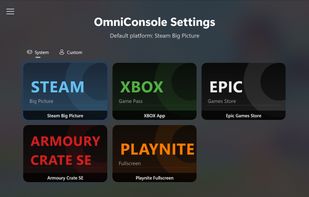
Boot into your configured platform, switch anytime via "Library" in Game Bar — Steam, XBOX, Epic, Armoury Crate SE, Playnite, or anything you add.
OmniConsole screenshot 1

Cost / License

Platforms

  • Windows
OmniConsole screenshot 1
OmniConsole screenshot 2
+1
OmniConsole screenshot 3
Alternatives
0likes
0alternatives
0articles
Save

Features

  1.  Launcher

OmniConsole News & Activities

Highlights All activities

Recent activities

OmniConsole information

GitHub repository

  •  301 Stars
  •  7 Forks
  •  3 Open Issues
  •   Updated  
View on GitHub
OmniConsole was added to AlternativeTo by Darlene Sonalder on and this page was last updated .

No comments or reviews, maybe you want to be first?

What is OmniConsole?

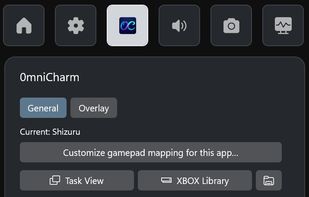
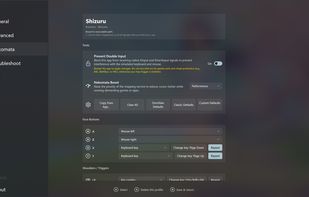
OmniConsole serves as your Windows 11 XBOX Mode (FSE) Home shell on PCs and handhelds (ROG Xbox Ally X, etc.), with an OmniCharm Game Bar widget, Steam shortcuts, and Nekomata Mode to turn your gamepad into keyboard and mouse, tailored per app, so everything stays on the gamepad.

Whenever XBOX Mode (FSE) activates, OmniConsole launches your configured gaming platform. Any platform can be your XBOX Mode (FSE) Home — Steam, XBOX, Epic, Armoury Crate SE, Playnite, or anything you add.

  • On boot: With "Enter XBOX mode (FSE) on startup" enabled, your gaming platform launches automatically at boot.
  • During use: Press the XBOX button, then select "Home" in Game Bar to launch your gaming platform, or "Library" to open OmniConsole Settings.

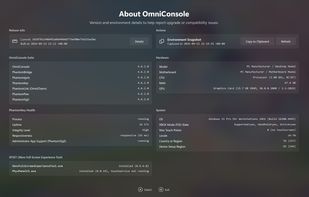
OmniConsole requires Windows 11 24H2 (Build 26100.7019) or later, along with the Full Handheld edition of XBOX Mode (FSE). Microsoft is gradually rolling out a Limited PC edition to regular PCs — use Xbox Full Screen Experience Tool (XFSET) to switch to the Full Handheld edition.

  • Desktops, Laptops, Tablets & Handhelds without the Full Handheld edition: Run XFSET first.
  • Native Handheld Devices (e.g., ROG Xbox Ally series): Already on the Full Handheld edition — install OmniConsole directly.
  • XBOX Controller Required: Game Bar, XBOX Mode (FSE), and all gamepad features require an XBOX-compatible (XInput) controller with an XBOX button.
OmniConsole: Boot into your configured platform, switch anytime via "Library" in | AlternativeTo