
omni-sql icon
omni-sql icon

omni-sql

 1 like

Open-source desktop SQL IDE for PostgreSQL, MySQL, MariaDB, SQL Server, Oracle and MongoDB, with local DuckDB analysis and an MCP bridge for AI agents.
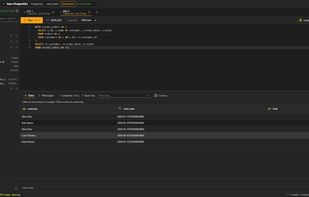
SQL editor with schema explorer and results grid

Cost / License

  • Free
  • Open Source (MIT)

Application type

Since

  • New

Updated

  • Updated Nov 2026

Platforms

  • Windows
  • Mac  macOS 15 or later (Apple Silicon and Intel)
  • Linux  Debian/Ubuntu amd64 (.deb)
1like
0articles
Save

Features

Features

Highlights All activities

omni-sql News & Activities

Recent activities

omni-sql information

AlternativeTo Category

Development

GitHub repository

  •  4 Stars
  •  0 Forks
  •  5 Open Issues
  •   Updated  
View on GitHub
omni-sql was added to AlternativeTo by cccadet on and this page was last updated .

No comments or reviews, maybe you want to be first?

Official Links

Install from the command line

  • winget install -e --id cccadet.omni-sql

Be careful what you paste into a terminal. Check what a command installs before running it.

What is omni-sql?

omni-sql is a free, open-source (MIT) desktop SQL IDE that works with PostgreSQL, MySQL, MariaDB, SQL Server, Oracle, JDBC/ODBC sources and, experimentally, MongoDB. It runs locally and needs no account.

Features include contextual autocomplete without an LLM, query plans, a per-CTE Preview, and an embedded DuckDB to query CSV, Parquet and S3 files and join them with database results. A local MCP server lets AI agents query a connection without receiving its credentials, with per-connection access levels and desktop approval for every execution.