No Distractions for YouTube icon

No Distractions for YouTube

 Like

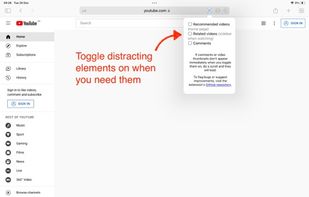
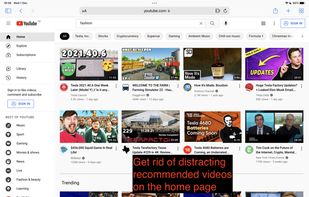
Need to search for something on YouTube but get distracted by recommended videos? Use "No Distractions" for YouTube to hide distractions and stay on task!.
No Distractions for YouTube screenshot 1

Cost / License

  • Pay once
  • Open Source

Since

  • Since 2022 (updated Jun 2026)

GitHub

  • GitHub stars: 37

Platforms

  • Mac
  • iPhone
  • iPad
No Distractions for YouTube screenshot 2
No Distractions for YouTube screenshot 3
+2
No Distractions for YouTube screenshot 4
Alternatives
0likes
0alternatives
0articles
Save

Features

Properties

Features

Highlights All activities

No Distractions for YouTube News & Activities

Recent activities

No activities found.

No Distractions for YouTube information

Apple AppStore

  •   Updated 
  •   4.46 avg rating

GitHub repository

  •  37 Stars
  •  6 Forks
  •  27 Open Issues
  •   Updated  
View on GitHub
No Distractions for YouTube was added to AlternativeTo by Paul on and this page was last updated .

No comments or reviews, maybe you want to be first?

Official Links

What is No Distractions for YouTube?

"No Distractions" for YouTube is a Safari App Extension I built to help myself. It lets you take control over your use of YouTube instead of letting the YouTube algorithms control you...!

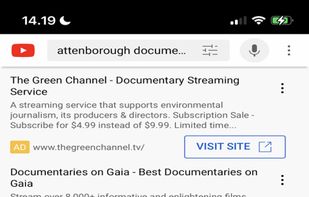
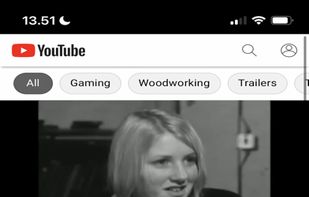
It does this by hiding video recommendations and the 'Shorts' link on the front page, in addition to the 'up next' videos that appears when you watch a video, and the ads that are inserted in your search results. On iPad, it also hides comments.

When you want to see the hidden elements, you can toggle them on by tapping on the extension.

The app is open source and does not collect any data. You can inspect the source code, report bugs, and suggest additional features or improvements on: https://github.com/ulyngs/open-source-no-distractions-for-youtube