





Nightingale Karaoke
1 like
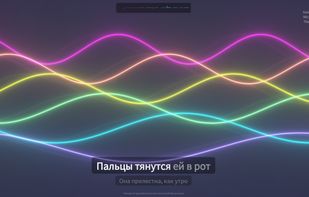
Nightingale scans your music folder, Jellyfin server, Navidrome server, or self-hosted web library; separates lead vocals from instrumentals using the UVR Karaoke model (or Demucs); transcribes lyrics with word-level timestamps via WhisperX; and plays it all back with...

Cost / License
- Free
- Open Source (GPL-3.0)
Application type
 EU
EUPlatforms
- Mac
- Windows
- Linux
- Self-Hosted
- Docker


Features

Highlights All activities
Nightingale Karaoke News & Activities
Recent activities
 Elio-Gargiulo added Nightingale Karaoke as alternative to Elio Karaoke Studio
 Jon-Vargas added Nightingale Karaoke as alternative to Beltr
- niksavc liked Nightingale Karaoke
 Paul added Nightingale Karaoke as alternative to Karakara, KaraFun, Kanto Karaoke, Midica and 19 more
- Paul updated Nightingale Karaoke
- Paul added Nightingale Karaoke


Developed by
 Vladimir Polovtsev
 Licensing
Open Source (GPL-3.0) and Free product.Written in
Alternatives
25 alternatives listedBadge
Get an embeddable badge for Nightingale KaraokeSupported Languages

AlternativeTo Categories
Audio & Music, Gaming Software, AI Tools & ServicesGitHub repository
- 1,500 Stars
- 115 Forks
- 13 Open Issues
- Updated


No comments or reviews, maybe you want to be first?