NetVane icon
NetVane icon

NetVane

Local, private network scanner and security monitor for Windows — maps every device on your LAN and shows what it's exposing, entirely on your own machine.
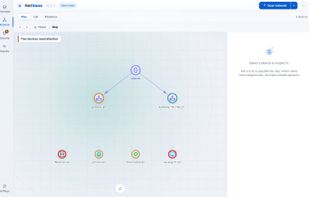
NetVane screenshot 1

Cost / License

  • Freemium
  • Proprietary

Application type

Platforms

  • Windows  Windows 10 or 11, 64-bit. Per-user install, no administrator rights required; a portable build is also available.
0likes
0comments
0articles

Features

Properties

  1.  Privacy focused

Features

  1.  Dark Mode
  2.  Ad-free
  3.  No Tracking
  4.  Works Offline
  5.  No registration required
  6.  Portable
  7.  Network Scanner

NetVane News & Activities

Highlights All activities

Recent activities

NetVane information

  • Developed by

    GRCSAC
  • Licensing

    Proprietary and Freemium product.
  • Pricing

    free version with limited functionality.
  • Alternatives

    5 alternatives listed
  • Supported Languages

    • English

AlternativeTo Categories

Network & AdminSecurity & Privacy
NetVane was added to AlternativeTo by GRCSAC on and this page was last updated .
No comments or reviews, maybe you want to be first?

What is NetVane?

NetVane is a local network scanner and security monitor for Windows. It discovers the devices on your network, identifies each one's type, vendor and OS, fingerprints open ports, and draws a live topology map.

Service versions found during a scan are matched against an NVD and CISA-KEV vulnerability database bundled with the app, so exposure checks work offline. Findings come with plain-language explanations and fixes rather than raw CVE dumps.

It runs entirely on your machine: no cloud service, no account, no agent. The interface is a local dashboard and all data stays in a local database. A session ledger inside the app lists every internet request it makes, so the privacy claim is checkable rather than promised.

The free edition is perpetual, not a trial, and includes discovery, mapping, device identification, CVE/KEV matching and report export — and vulnerability-database updates stay free. Paid tiers (one-time purchase, not subscriptions) add scheduled scanning, multiple subnets, credentialed validation and compliance reporting.