mSecure Alternatives

mSecure is described as 'Keeps your data safe because it uses the ultra-secure 256bit blowfish encryption to protect personal information such as account numbers, usernames, passwords and more. mSecure is more than a password manager in that it provides 17 popular personal information templates' and is a password manager in the security & privacy category. There are more than 100 alternatives to mSecure for a variety of platforms, including Windows, Mac, Android, iPhone and iPad apps. The best mSecure alternative is Bitwarden, which is both free and Open Source. Other great apps like mSecure are KeePassXC, KeePass, LastPass and 1Password.

Copy a direct link to this comment to your clipboard
mSecure alternatives page was last updated

Alternatives list

  1. Automato icon
     Like
    Copy a direct link to this comment to your clipboard

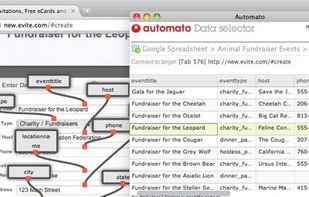
    Automato is an extension for Google Chrome that helps streamline workflows that involve moving data between browser tabs, form fields, APIs, and external data sources.

    Cost / License

    • Free
    • Proprietary

    Alerts

    • Discontinued

    Platforms

    • Mac
    • Windows
    • Linux
    • Online
    • Google Chrome
     
  2. AllSecure icon
     Like
    Copy a direct link to this comment to your clipboard

    If you frequently visit many web sites, chances are you have more than a dozen passwords. Theyre probably easy to guess, or worse, theyre written down someplace for easy access because theyre impossible to remember.

    Cost / License

    • Paid
    • Proprietary

    Application type

    Platforms

    • Mac
     
  3. Copy a direct link to this comment to your clipboard

    F-Secure Key stores your passwords, user names and other credentials so that you can access them wherever you are.

    Cost / License

    • Subscription
    • Proprietary

    Application type

    Platforms

    • Mac
    • Windows
    • Android
    • iPhone
    • iPad
     
  4. NS Wallet icon
     1 like
    Copy a direct link to this comment to your clipboard

    NS Wallet is reliable and secure keeper for your confidential information (like passwords, credit cards numbers and their pin codes and etc). Our highest concern is your privacy and we use system approach to keep your important information safe.

    Cost / License

    • Freemium
    • Proprietary

    Application type

    Platforms

    • Mac
    • Windows
    • Android
     
  5. PassDrop icon
     Like
    Copy a direct link to this comment to your clipboard

    A fully-featured secure password management system, compatible with the free KeePass and multi-platform KeePassX desktop applications.

    Cost / License

    • Free
    • Open Source

    Application type

    Platforms

    • iPhone
    • iPad
     
  6. Copy a direct link to this comment to your clipboard

    Easily secure all your passwords, credit cards, addresses, and sensitive information across the web and on any device with Avast Password Manager mobile app*.

    Cost / License

    • Freemium
    • Proprietary

    Application type

    Platforms

    • iPhone
    • iPad
    • Android
    • Android Tablet
    • Google Chrome
    • Microsoft Edge
    • Mozilla Firefox
     
  7. Copy a direct link to this comment to your clipboard

    VIP is pro password manager to secure your accounts and passwords. It can autofill passwords in sites and apps on phones, tablets and PC. Only you can open VIP with a password or fingerprint.

    Cost / License

    • Freemium (Pay once)
    • Proprietary

    Application type

    Platforms

    • Android
    • iPhone
     
  8. Copy a direct link to this comment to your clipboard

    Hypervault is a secure, user-friendly password manager designed to simplify digital life by storing, organizing, and protecting sensitive information. It offers a robust solution for individuals and businesses seeking to manage passwords, secure notes, credit card details, and...

    Cost / License

    • Subscription
    • Proprietary

    Application type

    Platforms

    • Online
    • Google Chrome
     
  9. Copy a direct link to this comment to your clipboard

    With PassSecurium™ you can access your password vault, and manage passwords securely and conveniently. Besides standard functions (create / view / edit / delete passwords) PassSecurium™ offers an integrated password generator with selectable complexity.

    Cost / License

    • Freemium
    • Proprietary

    Application type

    Platforms

    • iPhone
    • iPad
    • Android
    • Microsoft Edge
    • Google Chrome
    • Mozilla Firefox
    • Mac
    • Windows
    • Linux
     
  10. Copy a direct link to this comment to your clipboard

    Secure password storage with the MultiPassword.com password manager featuring syncing across devices and web browsers.

    Cost / License

    • Freemium (Subscription)
    • Proprietary

    Application type

    Platforms

    • Online
    • Android
    • Microsoft Edge
    • Google Chrome
    • Yandex.Browser
    • Opera
    • Brave
     
  11. Copy a direct link to this comment to your clipboard

    Password Safe and Manager stores and manages all your entered data in an encrypted way, so you have a secure storage of your access data and you only have to remember your master-password. You can manage and keep track about all your sensitive data, which are stored completely...

    Cost / License

    • Freemium (Pay once)
    • Proprietary

    Application type

    Platforms

    • Android
    • iPhone
    • Android Tablet
    • iPad
     
  12. PassHulk icon
     Like
    Copy a direct link to this comment to your clipboard

    PassHulk is the easiest way to store and use strong passwords. Log in to sites and fill forms securely with a single click.

    Cost / License

    • Subscription
    • Proprietary

    Application type

    Platforms

    • Online
     
You are at page 11 of mSecure alternatives