An animation tool for product UI motion.
What it does:
Visibility spans, not just keyframes
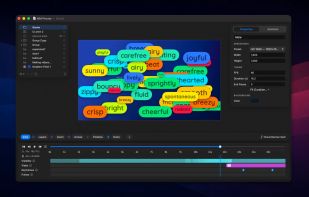
Every layer lives on a span — a time range with its own intro and outro. Stack effects on either edge (fade, pop, bounce, slide, type-on, draw-on, blinking cursor) and the span is the animation. You're choreographing when things appear, not just nudging properties.
Pulses for one-shot beats
Scale, glow, and radiate gestures you drop on a layer's pulse track. They fire at playback without disturbing the layer's baseline keyframes — the way a real UI emphasizes a button press, a notification, or a moment of attention.
A timeline that ripples
Move a keyframe and the rest of the timeline follows. R cycles ripple modes (off / before / after / both); span edges, pulses, and group children all participate. Aggregate tracks roll children up into one row, so you can retime an entire group in one drag.
Mix & Match
Select a row of layers and one click redistributes their Fill, Stroke, Size, Font, or Text Content across the selection. Shuffles permute a closed pool; the bias slider blends toward fresh values sampled from each property's min–max range. Lands as a single undo step.
Camera zoom layers
Drop a zoom layer over any region and the playhead lenses into it for the layer's visibility span — full-screen or as a picture-in-picture viewport composited back into the scene. Product detail shots without re-staging the composition.
Multi-scene documents
A single .mvm file holds a sequence of scenes, each with its own layers and timeline. Drag chips to reorder, drop a Fade / Slide / Push / Zoom transition between any two, and lay a document-wide audio bed underneath that fades over the final second.
Particles emitted from any layer
Point a particle layer at any other layer in the scene as its emission source — a text glyph, an icon, a freeform line. Lines feed their stroke's actual curvature so the cloud hugs the path; everything else uses the bbox. Combine with the existing direction / gravity / lifetime knobs for sparks, dust trails, snow inside a shape — without leaving the canvas.
Multi-clip video tracks
Drop multiple cuts of the same source on a single video layer. Right-click any clip to Duplicate, Split at Playhead, or Delete; the + in the row gutter adds a new clip from the playhead to scene end. Each clip gets its own trim, speed, end behavior, and a Freeze Frame mode that holds a chosen frame for the entire span.
Behaviors & Motions
Procedural Oscillate / Shake / Wiggle bars drop onto any keyframable property and animate it without a single keyframe — set min/max + frequency and it just runs. Layer-level Follow Layer and Follow Path motions move a layer toward a target or along a chosen line, with optional per-letter tilt and upright text for typography along a curve.







No comments or reviews, maybe you want to be first?