Drop a screen recording into art-directed environments and export a mockup video in minutes, in your browser. Free to make and preview; export with Pro.
Full Description
Motion Mockups turns a screen recording into a finished mockup video in minutes. Drop in your recording or an image and it plays on an iPhone, iPad, MacBook, Display or TV inside a pre-rendered scene: a lit, furnished place with soft shadows, reflections and depth of field, and its own camera move. One designer, Krystof Jezek, models, lights and renders every scene; none is generated by AI.
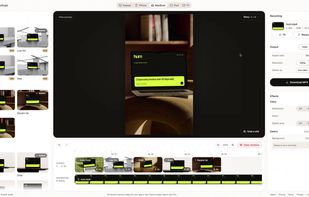
The editor has few controls, on purpose. There are no camera paths, lights or keyframes to set: pick scenes, cut several into one film with one continuous recording, change a few basics (shape, reflections, speed ramp, background) and export.
The catalog: 83 scenes in 22 mockups across five collections, Home, Gallery, Parlor, Meadow and Loft. Each scene is 8 seconds at 30 fps.
Export: H.264 MP4 at 30 fps in 1:1, 4:5, 9:16, 16:9 or 4:3, at 1080 or 2160 pixels on the short edge, as one film or one file per scene. With Pro, any frame also exports as a PNG or JPEG still up to 3840 × 3840 pixels.
What it doesn't do: Android phones, watches, transparent video, audio, frame rates above 30 or your own camera path. If you need those, a 3D tool such as Rotato is the right choice.
Pricing: free to make and preview, with a watermarked 720p preview and no account needed; export with Pro, $35 a month or $240 a year. Exports may be used commercially, including client work, without attribution.






 EU


 krystofjezek added Motion Mockups as alternative to Rotato, Previewed, Mockrocket, Shots and 4 more

 Krystof Jezek


No comments or reviews, maybe you want to be first?