





Monkeymore Drop
A web-based, AirDrop-like file sharing tool that lets you transfer files and messages between any devices instantly — no login, no installation, no server upload.

Cost / License
- Free
- Proprietary
Platforms
- Online


Monkeymore Drop
Features
- Web-Based
Tags
Monkeymore Drop News & Activities
Recent activities
- gittest32026 liked Monkeymore Drop
- gittest32026 added Monkeymore Drop
Monkeymore Drop information
What is Monkeymore Drop?
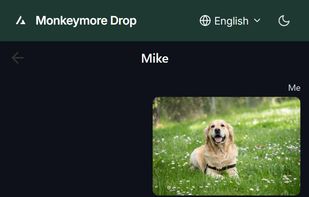
Monkeymore Drop is a peer-to-peer (P2P) file transfer application inspired by Apple's AirDrop, designed to work seamlessly across any device with a modern web browser. Built on WebRTC technology, it enables direct device-to-device communication without uploading files to any central server, ensuring your data stays private and transfers happen as fast as your local network allows.
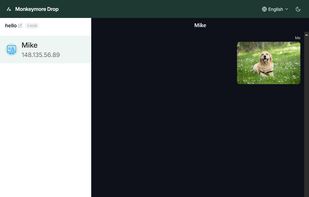
Unlike traditional cloud-based sharing services, Monkeymore Drop requires no account creation, no app installation, and no file size quotas. Simply open the website on two or more devices, and they will discover each other automatically. You can then send files, folders, or text messages with real-time progress tracking and transfer speed monitoring.
Key highlights include:
- True P2P transfers: Files travel directly between devices via WebRTC data channels. The server only helps establish the initial connection.
- Cross-platform: Works on Windows, macOS, Linux, iOS, Android, and any OS with a web browser.
- No login required: Open the page and start sharing immediately. No email, no password, no subscription.
- Multi-file & large file support: Send multiple files at the same time, each over its own dedicated channel. Large files are automatically split into 5MB chunks for reliable delivery.
- Text messaging: Chat with connected peers alongside file transfers.
- Custom device names: Easily identify devices in the peer list with editable display names.
- Room support: Create or join public rooms to share with friends outside your local network.
- Real-time progress: See exact percentage, bytes transferred, and current speed for every file.
- Multi-language UI: Supports 10 languages including English, Chinese (Simplified & Traditional), Japanese, Korean, Spanish, French, German, Russian, and Arabic.
- Mobile-friendly: Responsive interface optimized for both desktop and smartphone screens.