Mekuri icon
Mekuri icon

Mekuri

Mekuri opens a CBZ, a CBR or a plain folder of images and gets out of the way. No library to import into, no metadata to fill in — point it at a file and read.
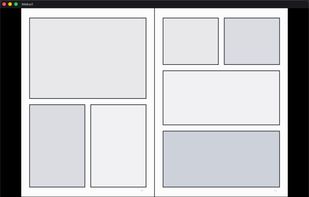
Two-page spread, laid out right to left the way manga reads

Cost / License

  • Free
  • Open Source (MIT)

Application type

Platforms

  • Mac
0likes
0comments
0articles

Features

No features, maybe you want to suggest one?

 Tags

Mekuri News & Activities

Highlights All activities

Recent activities

Mekuri information

  • Developed by

    JP flagpiro0919
  • Licensing

    Open Source (MIT) and Free product.
  • Written in

  • Alternatives

    6 alternatives listed
  • Supported Languages

    • English
    • Japanese

AlternativeTo Category

News & Books

GitHub repository

  •  0 Stars
  •  0 Forks
  •  4 Open Issues
  •   Updated  
View on GitHub

Popular alternatives

View all
Mekuri was added to AlternativeTo by piro0919 on and this page was last updated .
No comments or reviews, maybe you want to be first?

What is Mekuri?

Mekuri opens a CBZ, a CBR or a plain folder of images and gets out of the way. No library to import into, no metadata to fill in — point it at a file and read.

It defaults to right-to-left because manga is the main use, and it can show two pages side by side the way a printed book falls open. The dark theme is fixed, since a bright interface around a comic page is a distraction. Arrow keys, clicks and a scrub bar all move you through the pages, and it remembers where you stopped.

Built with Tauri for macOS, free and open source under the MIT license.

Official Links
