





MC Server Manager by Natchland
Like
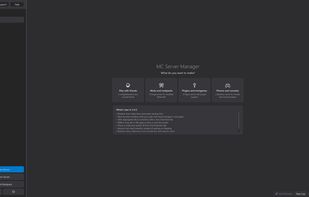
MC Server Manager is a Windows desktop app for creating and running Minecraft servers on hardware you already own. It's built for people who want a server for their friends without learning Docker, Linux or the command line.

Cost / License
- Freemium (Pay once or Subscription)
- Proprietary
Application type
Platforms
- Windows


Features
Highlights All activities
MC Server Manager by Natchland News & Activities
Recent activities
- Natchland added MC Server Manager by Natchland
 tiyat added MC Server Manager by Natchland as alternative to Fledge
 Natchland added MC Server Manager by Natchland as alternative to Pterodactyl, Crafty Controller, Pufferpanel, Application Management Panel (AMP) and 4 more

Developed by
 Natchland
 Licensing
Proprietary and Freemium product.Pricing
One time purchase that costs up to $2, and / or subscription ranging between $2 and $65 per month + free version with limited functionality.Alternatives
9 alternatives listedBadge
Get an embeddable badge for MC Server Manager by NatchlandSupported Languages


No comments or reviews, maybe you want to be first?