





Mbox Viewer Pro
1 like
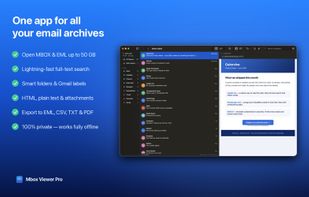
Mbox Viewer Pro opens MBOX and EML files natively on your Mac. Fast, private, and account-free. Perfect for reading, searching and archiving email exports from Apple Mail, Thunderbird, Google Takeout, Gmail, Outlook and more.

Cost / License
- Freemium (Pay once)
- Proprietary
 EU
EUPlatforms
- Mac
- Windows


Features
Mbox Viewer Pro News & Activities
Highlights All activities
Recent activities
- dcarrero liked Mbox Viewer Pro
- dcarrero updated Mbox Viewer Pro
- dcarrero added Mbox Viewer Pro
 dcarrero added Mbox Viewer Pro as alternative to MBOX Viewer, Windows MBox Viewer, MailViewer, MsgViewer and 1 more

Mbox Viewer Pro information
Developed by
 Color Vivo Internet, SL
 Licensing
Proprietary and Freemium product.Pricing
One time purchase (perpetual license) ranging between $49 and $60 + free version with limited functionality.Alternatives
5 alternatives listedBadge
Get an embeddable badge for Mbox Viewer ProSupported Languages


No comments or reviews, maybe you want to be first?