





Markdown Web Clipper
Like
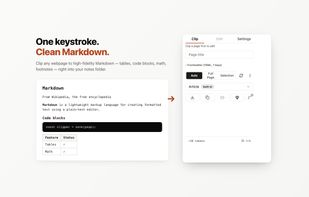
A free, open-source Chrome extension that converts any webpage to clean Markdown and saves it to Obsidian, a local folder, GitHub Gist, or the clipboard.

Cost / License
- Freemium (Pay once)
- Open Source (MIT)
Application type
Platforms
- Google Chrome


Features
Highlights All activities
Markdown Web Clipper News & Activities
Recent activities
 love-all-adult added Markdown Web Clipper as alternative to Decant
 Fla added Markdown Web Clipper as alternative to Capd
 Tigran Davtyan added Markdown Web Clipper as alternative to Notion Web Clipper
 Tigran Davtyan added Markdown Web Clipper as alternative to Pocket and MarkDownload
- Tigran Davtyan added Markdown Web Clipper
 Tigran Davtyan added Markdown Web Clipper as alternative to Obsidian Web Clipper, wallabag, Instapaper and Evernote Web Clipper


Licensing
Open Source (MIT) and Freemium product.Pricing
One time purchase (perpetual license) ranging between $9 and $19 + free version with limited functionality.Written in
Alternatives
8 alternatives listedBadge
Get an embeddable badge for Markdown Web ClipperSupported Languages

AlternativeTo Categories
Office & Productivity, News & BooksGitHub repository
- 4 Stars
- 0 Forks
- 0 Open Issues
- Updated


No comments or reviews, maybe you want to be first?