


Mailspring
Boost your productivity and send better email with Mailspring, a beautiful, fast email client for Mac, Windows, and Linux. Mailspring is free to use and an optional pro version adds read receipts, send later, reminders and more.
Cost / License
- Freemium (Subscription)
- Open Source (GPL-3.0)
Application type
Platforms
- Mac
- Windows
- Linux
- Arch Linux
- Fedora
- Ubuntu

Features
Properties
- Customizable
- User friendly
- Support for Themes
Features
- Unified inbox
- Multiple Account support
- Dark Mode
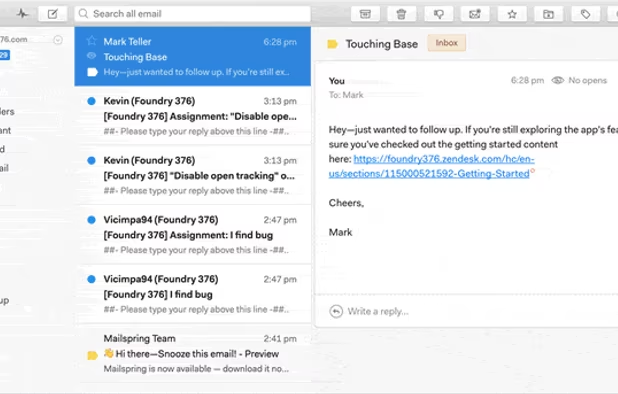
- Email tracking
- Snooze Mail
- Built-in translation
- Ad-free
- Theme Customization
- IMAP Support
- Notifications
- Email Organizer
- Extensible by Plugins/Extensions
- Built-in themes
- Auto Update
- Sidebar
- Keyboard Shortcuts
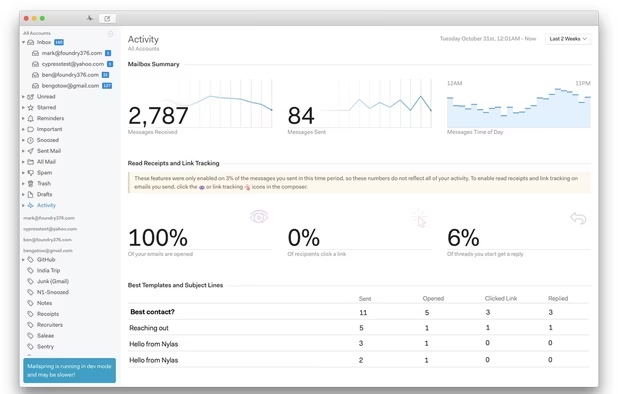
- Email Analytics
- Drag and Drop
- Threaded Conversations
- Electron based
Mailspring News & Activities
Recent News
- POX published news article about Mailspring
 Open source email client Mailspring 1.16 brings Thunderbird-style autoconfiguration & more
Mailspring 1.16.0 is now available for Mac, Windows, and Linux, bringing several user-focused impro...

Recent activities
 marcoapp added Mailspring as alternative to Marco
 POX added Mailspring as alternative to Aerion
- favorable661 liked Mailspring
- lesm reviewed Mailspring
I installed Mailspring and I liked it. BUT, it lacks of some necessary facilities to make our life easier. For instance, links and shortcut to Contacts. Is it so difficult to include such piece of code?
- lesm liked Mailspring
 amilasokan added Mailspring as alternative to Supamail


Featured in Lists

Spoiler: I've switched to Linux for my main computer.
How are you? In this list I bring you a variety of alternative software to those from Microsoft, and also that these …

A list with 568 apps by AmileyaRyver without a description.
What is Mailspring?
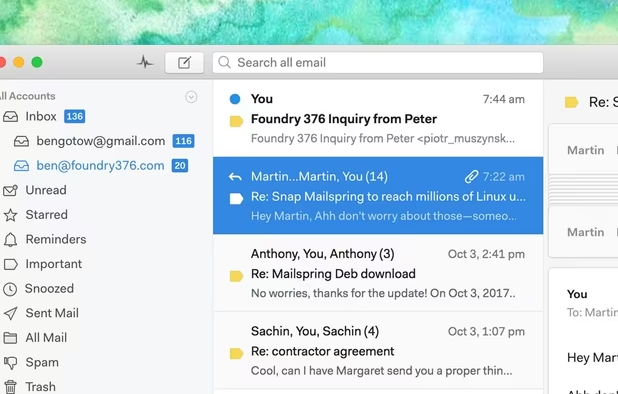
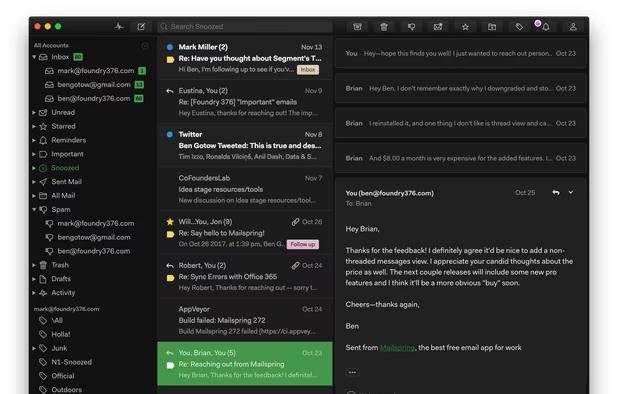
Mailspring is a desktop email client designed for macOS High Sierra, Windows 10 and Linux. With modern features like unified inbox, snoozing, templates, offline search, and support for Gmail labels, Mailspring will breathe life back into your tired inbox! Mailspring is free and supports all IMAP providers, including Gmail, Office 365 and iCloud. Mailspring does not support Exchange ActiveSync. If your work revolves around email, Mailspring Pro (an optional subscription) adds even more features, supercharging the app with read receipts, link tracking, send later, reminders, contact profiles, etc.
Features: • Unified Inbox - See all your email in a single view • Powerful Search - Use Gmail search syntax across all your accounts • Gestures - Swipe to archive from the thread list • Signatures - Create signatures and set defaults per-account • Aliases - Send email from aliases you've configured • Quicklook Integration - See previews of attachments and PDFs within the app • Notifications - Get rich notifications and reply directly from Notification Center • Drag & drop - Move emails, add attachments, and more with drag and drop everywhere • Gmail Labels - Label threads and add, remove, and manage labels within the app • Keyboard Shortcuts - Choose from popular presets or create custom shortcuts • Message Templates - Save emails as templates—complete with variables—and quickly autofill messages • Undo Send - Never accidentally send an email again
Mailspring Pro brings even more: • Snooze - Dismiss messages until you're ready to handle them • Reminders - Be reminded when emails you send haven't received replies • Tracking - See when recipients open your messages and click links • Contact Profiles - See bios, profile pictures, and more for recipients • Scheduling - Schedule emails to be sent at a particular date and time • Company Info - View company size, location, local time and more at a glance • And many more - see the website for a full list of Pro features
Mailspring information
Developed by
 Foundry 376
 Licensing
Open Source (GPL-3.0) and Freemium product.Pricing
Subscription that costs $8 per month + free version with limited functionality.Written in
Rating
Average rating of 3.2Alternatives
44 alternatives listedSupported Languages
- English

AlternativeTo Categories
Office & Productivity, OS & Utilities, Social & CommunicationsGitHub repository
- 17,368 Stars
- 984 Forks
- 19 Open Issues
- Updated


Comments and Reviews
I love the features but not the price. The swipe functions are smooth; the snooze later works great.
NEW, though, is a limit of opening only 5 emails per week? Don't update if you have an older version. I cannot afford $8 a month, so I will have to switch programs.
There are a lot of really neat things about this mail client. I was briefly very excited by it. But it's a dead product with deal-breaking bugs.
It's a poorly optimized web-app (Electron) that takes up a lot of disk space and burns through battery on a laptop. Often needs to be closed and re-opened to restore responsiveness. Typing long messages in particular make is churn down to several seconds between visual updates.
It doesn't integrate with any address book of any kind.
The composer is very basic - think boilerplate WYSIWYG. No image resizing. No tables. I could go on.
It's a paid product making a sustainable amount of revenue (unless there are really only a handful of subscribers), showing that the maintainer is negligent or unskilled to the extent that it's unreasonable to think that these problems will be fixed within even the next half decade.
[Edited by M_Pixel, June 20]
Speaking as the new Volunteer Community Manager, the project is NOT abandoned.
Development temporarily halted due to 2020 being what it was, but it has resumed. 1.8.0 just released this week, and another release is planned for the next couple of weeks.
Also, the revenue is not as high as you might think. The costs of providing some of the premium features is substantial. The maintainer is far from negligent or unskilled, but he also has limited time, as he has a full time job besides this. Open source contributions enable Mailspring to move forward.
Well, we're 2 years into my estimated "next half decade" and people are still experiencing these issues. It doesn't give me any confidence to hear that the maintainer is spending so much on "some of the premium features" while basic fundamental functionality and stability languishes.
This issue is still apparent in July 2021. So many of their users are now switching back to the email client they came from. The software is riddled with bugs making it unusable, and many of us have paid for it. If open source contributions are needed to move this software forward then the core developer should be focusing on this instead of just hoping that people will come forward. Many of it's users, including the agency I am from, have no knowledge of working with Electron - surely they must have a community somewhere to try and bring developers into this project...(?)
I installed Mailspring and I liked it. BUT, it lacks of some necessary facilities to make our life easier. For instance, links and shortcut to Contacts. Is it so difficult to include such piece of code?
Mailspring is a very modern, attractive, responsive cross-platform open-source (private) email app with a lot of great features. Unfortunately there are still several key features missing vs. its more established alternatives, such as independent contact and calendar sync by way of CardDav/CalDav, etc. Very promising app, but still lagging behind in development of key features.
It's not native, the framework is too heavy on resources even on a high level machine. Interface is good, but doesn't mean much when it's not usable.
It is stated as "Email Client", but it is not true. This is a cloud service. It does not work when the mail server is running, but without access to their cloud. I got the message "Could not reach id.getmailspring..." during installation. Unable to complete installation as well as offline installation.
Windows version requires .Net 4.5+.