Lutris Gamepad UI Alternatives

Lutris Gamepad UI is described as 'A simple, TV-friendly, gamepad-navigable frontend for the Lutris game launcher on Linux. This application provides a "10-foot UI" designed for couch gaming, allowing you to browse and launch your Lutris library entirely with a gamepad' and is an app in the gaming software category. There are more than 10 alternatives to Lutris Gamepad UI for a variety of platforms, including Windows, Linux, Mac, Web-based and Android apps. The best Lutris Gamepad UI alternative is Lutris, which is both free and Open Source. Other great apps like Lutris Gamepad UI are Playnite, GOG GALAXY, Pegasus and Gavilya.

Copy a direct link to this comment to your clipboard
Lutris Gamepad UI alternatives page was last updated

Alternatives list

  1. Lutris icon
     239 likes

    Lutris is an open source gaming platform for GNU/Linux. It allows you to gather and manage (install, configure and launch) all your games acquired from any source, in a single interface.

    62 Lutris alternatives

    Cost / License

    Platforms

    • Linux
    • Online
    • Flathub
     
  2. Playnite icon
     241 likes

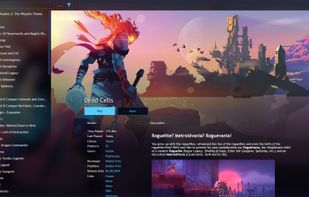
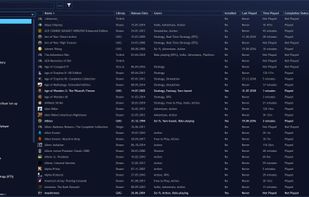
    Open-source launcher and manager organizing PC, emulated, and custom games from platforms such as Steam, GOG, Origin, and Uplay under a single customizable interface, supporting metadata, controller mode, plugins, themes, playtime tracking, and multi-language options.

    46 Playnite alternatives

    Cost / License

    • Free
    • Open Source (MIT)

    Application type

    Platforms

    • Windows
     
  3. GOG GALAXY icon
     201 likes

    Combine all your gaming platforms in one app; keep games and friends together, track achievements and playtime, all for free with a GOG account. Enjoy a seamless, customizable experience across console and PC libraries.

    39 GOG GALAXY alternatives

    Cost / License

    • Free
    • Proprietary

    Platforms

    • Mac
    • Windows
     
  4. Pegasus icon
     29 likes

    Pegasus is a graphical frontend for browsing your game library (especially retro games) and launching them from one place. It's focusing on customizability, cross platform support (including embedded devices) and high performance.

    50 Pegasus alternatives

    Cost / License

    • Free
    • Open Source

    Application type

    Platforms

    • Mac
    • Windows
    • Linux
    • Android
    • Raspberry Pi
     
  5. Gavilya icon
     9 likes

    Gavilya is a user-friendly game launcher built using C# .NET 6 and WPF, designed to streamline the gaming experience by consolidating games from various sources into a single, accessible platform. With its intuitive interface and diverse set of features, Gavilya offers gamers a...

    Cost / License

    • Free
    • Open Source (MIT)

    Application type

    Platforms

    • Windows
     
  6. GameRoom icon
     9 likes

    A slick Windows game manager, which automatically scans and scraps games from Steam (installed or not), Origin, Battle.net, GoG.com and UPlay. It also monitors your play time and allows some automatization like power management and custom commands.

    Cost / License

    • Free
    • Open Source

    Application type

    Alerts

    • Discontinued

    Platforms

    • Windows
     
  7. Open source game launcher and overlay designed for controller-native navigation, featuring input remapping to keyboard and mouse, user-driven customization, Godot 4 engine foundation, game library management, and open extendable platform suitable for all users.

    Cost / License

    Application type

    Platforms

    • Linux
     
  8. kolektor icon
     6 likes

    The all-in-one tool for video game collectors Organize your entire game collection in one place. Sync your digital libraries from any platform. Catalog your physical games, track editions, manage loans. Everything a videogame collector needs.

    Cost / License

    • Freemium
    • Proprietary

    Application type

    Platforms

    • Windows
     
  9. Welcome to Terminal Launch, the tool for gamers who value speed, efficiency, and simplicity over flashy interfaces. Created in 2019 as a simple DOS command to find games, Terminal Launch operates seamlessly within terminal and DOS environments.

    Cost / License

    • Free
    • Proprietary

    Application type

    Platforms

    • Windows
     
  10. Open-source interface combining PC game launchers, auto-scanning libraries, secure sandboxed play, movie and TV streaming, advanced download and mod managers, real-time resource telemetry, custom themes, hardware mapping, and a privacy-focused environment.

    31 GameHub by Ziad_Nahouli alternatives

    Cost / License

    • Free
    • Proprietary

    Application type

    Platforms

    • Windows
     
10 of 10 Lutris Gamepad UI alternatives