





LumeWorklog
Like
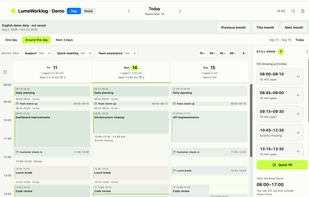
Native Mac time tracker with a visual workday timeline for activities, notes, tags, projects, and calendar context. Find gaps, adjust times, search entries, and create weekly or project reports with notes for PDF, CSV, or text export. Local storage keeps logs available offline.

Cost / License
- Free
- Proprietary
Application type
 EU
EUPlatforms
- Mac


Features
Highlights All activities
LumeWorklog News & Activities
Recent activities
 Danilo Venom added LumeWorklog as alternative to Clockify, Jibble, Tasklog, Time Champ and 2 more
- Danilo Venom updated LumeWorklog
- Danilo Venom updated LumeWorklog
- Wollux added LumeWorklog
 Wollux added LumeWorklog as alternative to Toggl Track



Developed by
 Wolfgang Vieregg
 Licensing
Proprietary and Free product.Alternatives
7 alternatives listedBadge
Get an embeddable badge for LumeWorklogSupported Languages

No comments or reviews, maybe you want to be first?