

Lockbox Password Manager icon

Lockbox Password Manager

Password manager you pay for once. Passwords, 2FA codes, notes, photos and files, encrypted on your device, with optional end-to-end encrypted sync between phone and Chrome.
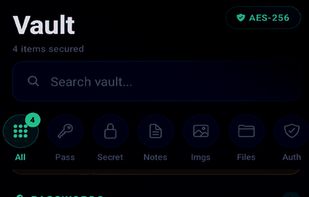
Lockbox Password Manager screenshot 1

Cost / License

  • Freemium (Pay once)
  • Proprietary

Application type

Platforms

  • iPhone
  • Android
  • Google Chrome
0likes
0articles
Save

Features

Properties

  1.  Privacy focused

Features

  1.  Encrypted Backup
  2.  End-to-End Encryption
  3.  Time-based One-time Password
  4.  No Tracking
  5.  Cloud Sync
  6.  Works Offline
  7.  AES-256 Encryption
  8.  Biometric Authentication
  9.  Ad-free
  10.  Dark Mode
  11.  Two-factor Authentication
  12.  Password Sharing

Lockbox Password Manager News & Activities

Highlights All activities

Recent activities

Lockbox Password Manager information

AlternativeTo Categories

Security & Privacy, Backup & Sync

Apple AppStore

  •   Updated 
  •   0 avg rating
View in AppStore
Lockbox Password Manager was added to AlternativeTo by Mr-Hunter on and this page was last updated .

No comments or reviews, maybe you want to be first?

Official Links

What is Lockbox Password Manager?

Lockbox is a password manager you pay for once. Your vault is encrypted on your device before anything is stored, and nobody else can read it, including the developer.

It is free for your first 10 items. One payment then unlocks unlimited items for good, with no subscription, no ads and no tracking.

It keeps passwords (with a generator and a health report for weak and reused ones), 2FA codes with a QR scanner, secure notes and secrets, private photos, and files up to 100MB.

Optional sync keeps passwords, 2FA codes and notes the same on your phone and in the Lockbox Chrome extension, which fills logins on the web. Sync is end-to-end encrypted with a key created on your device and shown to you once. Photos and files stay on the phone.

Whisper sends a password or file as a self-destructing link with an optional PIN. The recipient needs no account and no app.

Encryption is AES-256-GCM per item, with the master password stretched by PBKDF2-SHA256 at 600,000 iterations. The master password never leaves the device and cannot be reset. The encryption code is published at github.com/erolwizard/lockbox-crypto, and lockboxnow.app/transparency lists exactly what is and is not encrypted.

Imports from 1Password, Bitwarden, LastPass, Google, Apple Passwords and Dashlane.

