


LocK-A-FoLdeR
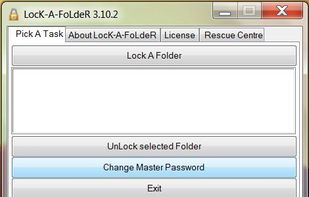
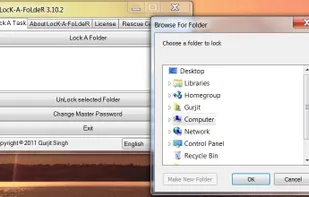
LocK-A-FoLdeR is a lightweight and easy to use program that allows you to hide and lock up any folders on your computer, making them invisible and inaccessible to anyone but yourself. After you create a master password, simply select the folder(s) you want to hide and click a...
Cost / License
- Free
- Open Source
Alerts
- Discontinued
Platforms
- Windows
Developer have abandoned this Project and will not reply to any queries.

Features
Tags
- lock-folder
- Accessibility
LocK-A-FoLdeR News & Activities
Recent activities
LocK-A-FoLdeR information
Developed by
UnknownLicensing
Open Source and Free product.Alternatives
26 alternatives listedSupported Languages
- English


What is LocK-A-FoLdeR?
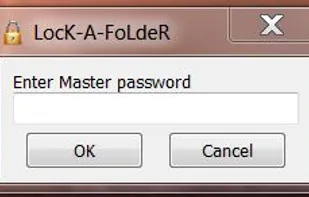
LocK-A-FoLdeR is a lightweight and easy to use program that allows you to hide and lock up any folders on your computer, making them invisible and inaccessible to anyone but yourself. After you create a master password, simply select the folder(s) you want to hide and click a button to make them disappear. To unlock a folder, enter your password and select the folder that you want to unlock. ==> It features :
Extremely easy to use and straightforward Interface.
Uses almost no CPU (no extra services or processes).
Compatible with Windows XP/Vista/7.
Open Source (Free To Use/Distribute/Study/Modify).
Compatible with all filesystems.
Lock Unlimited folders.
Fastest Folder Locking Technique.
and much more..."
Comments and Reviews
I have been using this app for months and it keep directories hidden... from human eyes. I started using MiMedia data backup service and while viewing directories to select to backup, there they were, my 'hidden' directories.
So, they're not really well hidden from software, only human eyes. You'll have to judge if this is acceptable or not for your situation. For me, I'll be looking for another solution.
UPDATE 25Jul13: After signing up for MiMedia (http://www.mimedia.com/) online backup service and selecting folders to backup, I noticed the "locked" folder was visible by its application... quite disappointing. I am still looking for an alternative but 'no dice' thus far.